
Table des matières
1 - Comment "Scaler" (monter à l’échelle) l’accessibilité numérique grâce aux Design Systems
Ressource :
Résumé
Centraliser la conception et l’ingénierie aide les organisations à construire de meilleurs services numériques. Des expériences fragmentées surviennent souvent quand des équipes résolvent les mêmes problèmes de façon isolée. Cela entraîne des incohérences visuelles et fonctionnelles qui frustrent les utilisateurs et gaspillent des ressources. En utilisant une bibliothèque partagée de composants accessibles, les équipes peuvent travailler plus efficacement. Cette approche garantit que l’inclusion est intégrée à chaque interaction numérique dès le départ, y compris pour les équipes travaillant pour des administrations publiques, comme l’État de New York, car elle s’appuie sur leur expérience.
Cet article s’appuie sur une présentation donnée à Accessibility New York City (A11yNYC) par Jesse Gardner.
Les services numériques modernes destinés aux gouvernements fédéraux et locaux semblent souvent déconnectés, car ils sont créés par des équipes différentes, utilisant des plateformes variées. Un résident peut commencer son parcours sur un moteur de recherche, arriver sur un site principal, puis passer à un système distinct pour se connecter ou soumettre une demande.
Jesse Gardner est directeur de l’accessibilité et des systèmes de design au sein du New York State Office of Information Technology Services. Ses équipes servent plus de 45 agences de l’État et 20 millions de New-Yorkais. Ils savent que chaque étape peut avoir un aspect et une expérience différents. Résultat : cela peut créer une expérience fragmentée, augmentant l’effort nécessaire à l’utilisateur pour accomplir une tâche.
Quand la conception et le langage changent constamment, cela augmente la charge cognitive de la personne qui utilise le service. Ce n’est pas seulement déroutant : cela peut éroder activement la confiance envers l’organisation qui fournit le service. Si une personne trouve une interface numérique difficile à parcourir, elle peut abandonner et choisir des méthodes plus coûteuses ou plus longues, comme appeler un centre de services.
Cette fragmentation n’est que rarement intentionnelle. La plupart des équipes sont passionnées par leur travail, mais elles opèrent dans des contextes étroits. Elles doivent faire face à une logique métier spécifique, à des exigences de politique publique et à des limites de temps ou d’expertise.
Parce que la technologie évolue rapidement, il est difficile pour chaque développeur individuel de rester à jour sur toutes les bonnes pratiques. Cela conduit les équipes d’une même organisation à résoudre à répétition des problèmes de base identiques.
Intégrer l’inclusion comme fondation technique
Une inclusion numérique véritable exige un travail technique approfondi, qui va au-delà du design visuel. Même si beaucoup de personnes se concentrent sur l’aspect d’un site, il est tout aussi important de considérer l’expérience d’une personne qui utilise un lecteur d’écran ou une navigation au clavier. Par exemple, un bouton ne doit pas seulement être visible : il doit aussi être sélectionnable au clavier et correctement annoncé par les technologies d’assistance.
Beaucoup d’organisations s’attendent à ce que les développeurs soient experts en même temps dans de multiples langages et frameworks. Elles peuvent ne pas disposer de la connaissance spécialisée nécessaire pour mettre en œuvre des standards d’accessibilité complexes. Une équipe centralisée d’experts peut combler cet écart. En se concentrant à la fois sur la conception et l’ingénierie, les organisations peuvent s’assurer de traiter les contraintes techniques avant qu’un produit n’atteigne l’utilisateur.
Déplacer les tests d’accessibilité plus tôt dans le processus de développement est une stratégie plus rentable que de corriger des problèmes après le lancement d’un produit. Tester manuellement les parcours utilisateurs les plus importants permet d’identifier les problèmes majeurs et d’apporter des solutions concrètes aux équipes d’ingénierie. Cette approche collaborative favorise la relation entre équipes et contribue à accroître progressivement la maturité des différents groupes au sein d’une grande organisation.
Tirer parti d’un système de design centralisé
Un système de design, comme le New York State Design System, est un ensemble de composants partagés, de standards et de lignes directrices qui aident les équipes à construire rapidement des applications utilisables. Il comprend généralement une bibliothèque de code, une bibliothèque de prototypage et un site de référence pour la documentation. Ces outils fonctionnent ensemble pour garantir que chaque produit numérique soit compatible mobile et accessible.
La bibliothèque de code contient des éléments d’interface comme des boutons, des interrupteurs et des accordéons, qui ont été testés en profondeur pour la gestion du focus et la prise en charge par les lecteurs d’écran. Ces composants incluent des réglages accessibles intégrés. Lorsqu’un ingénieur utilise un composant de la bibliothèque, il n’a pas besoin de reconfigurer l’accessibilité lui-même. Cette approche encourage l’adoption en rendant le travail du développeur plus simple, tout en assurant un résultat de haute qualité.
Les design tokens sont un autre élément essentiel de cette base. Ce sont de petites décisions sémantiques pour des éléments comme les couleurs et l’espacement. Par exemple, une couleur spécifique « danger » pour les messages d’erreur peut être testée à l’avance pour le contraste. Même si une équipe ne peut pas utiliser une bibliothèque complète de composants, elle peut tout de même utiliser ces briques pour s’assurer que ses designs personnalisés respectent des standards d’inclusion de base.
Favoriser l’adoption grâce à des solutions concrètes
La clé d’un système de design réussi est de le rendre aussi simple que possible à adopter pour les équipes. La plupart des personnes visitent un site de référence de système de design parce qu’elles doivent construire une page ou livrer un service, pas forcément pour étudier l’accessibilité. En fournissant du code prêt à l’emploi et des « quick wins », le système résout le problème de l’assiduité : il répond directement à un besoin immédiat.
Une fois que les équipes utilisent le système, les informations sur l’accessibilité peuvent être intégrées directement à leur flux de travail. Les pages des composants peuvent inclure des checklists sur le comportement, l’interactivité et le contraste des couleurs. Ainsi, designers et ingénieurs apprennent des pratiques inclusives en travaillant. Avec le temps, cela crée une culture où l’accessibilité est considérée comme un élément central du processus de développement, plutôt que comme une réflexion après coup.
Pour les équipes qui travaillent sur des systèmes existants qu’elles ne peuvent pas migrer vers une nouvelle bibliothèque, fournir une guidance « construire accessible » est essentiel. Cela inclut de montrer comment obtenir les mêmes résultats à l’aide d’éléments HTML natifs et d’un CSS spécifique. Proposer plusieurs façons d’atteindre un objectif permet de faire profiter davantage d’équipes aux travaux de l’équipe centralisée, quelle que soit leur contrainte technique.
Standardiser les outils numériques crée une expérience d’interaction cohérente pour tout le monde. Même si tous les sites n’ont pas besoin de se ressembler visuellement, la manière dont une personne interagit avec un formulaire ou un menu doit être prévisible. Cette cohérence réduit les frictions et rend plus facile l’obtention de l’aide nécessaire auprès de son gouvernement ou de son organisation.
Se concentrer sur le parcours utilisateur et mettre à l’échelle des solutions techniques permet aux organisations de respecter les échéances de conformité tout en améliorant l’utilisabilité globale. Quand « le déclic » survient chez un ingénieur et qu’il comprend pourquoi l’ordre des en-têtes ou l’usage des landmarks a de l’importance, la qualité de tout ce qu’il construit s’améliore. Un système de design formalise ces meilleures pratiques, et les rend disponibles à tous.
Ce que les organisations peuvent faire ensuite
- Mettre en place une équipe centralisée d’experts pour créer et maintenir une bibliothèque partagée de composants accessibles.
- Réaliser des tests manuels d’accessibilité sur les parcours utilisateurs les plus courants pour identifier et prioriser les principaux obstacles.
- Fournir aux ingénieurs des conseils clairs, en langage simple, qui expliquent à la fois comment corriger un problème et l’impact humain de ce problème.
- Utiliser des design tokens pour les couleurs et les polices afin de garantir que même les éléments construits sur mesure respectent au minimum le contraste et les standards de marque.
- Créer un site de référence proposant des exemples de code « copier-coller » afin de faciliter l’adoption de modèles accessibles.
Cultiver une culture de fiabilité
Mettre à l’échelle l’accessibilité est un engagement de long terme qui exige à la fois des outils techniques et des changements culturels. En fournissant des solutions de haute qualité qui rendent la vie des développeurs plus simple, les organisations peuvent naturellement favoriser l’adoption de pratiques inclusives. Cette approche s’éloigne d’un modèle de contrôle/police au profit d’un modèle d’habilitation.
Au final, il s’agit de s’assurer que chaque individu peut naviguer dans des services numériques avec dignité et autonomie. Quand l’accessibilité est intégrée à la base d’un système de design, elle devient naturellement une partie de chaque projet. Cette fiabilité discrète crée un monde numérique plus inclusif pour tous les utilisateurs.
Bio de Jesse Gardner
Jesse Gardner est directeur de l’accessibilité et des systèmes de design au New York State Office of Information Technology Services, où il dirige deux équipes au service de plus de 45 agences de l’État et de 20 millions de New-Yorkais. Il a construit le New York State Design System depuis zéro et a mené la réponse de l’État à la date limite de conformité à l’accessibilité exigée par le DOJ pour le Title II (récemment prolongée jusqu’en avril 2027).
Avant de rejoindre le secteur public, Jesse a passé plus de deux décennies dans l’ingénierie logicielle et le leadership en conception. Il parle régulièrement de l’intersection des systèmes de design, de l’accessibilité et de l’IA (plus récemment à Into Design Systems 2026) et écrit sur plasticmind.com. Il vit dans le nord de l’État de New York avec sa femme et leurs quatre enfants.
FAQ
Comment gérez-vous l’adoption progressive et l’évolution des composants dans un système de design ?
Les composants doivent être conçus pour être extensibles, afin de permettre aux équipes d’utiliser des surcharges CSS pour des besoins spécifiques comme les couleurs d’arrière-plan. Une stratégie de versionnement, comme l’utilisation d’un gestionnaire de paquets type NPM, permet aux équipes de mettre à jour leur bibliothèque à leur rythme, sans craindre des changements soudains et “cassants”.
Est-il possible d’utiliser les fonctionnalités d’accessibilité d’un système de design si mon organisation a sa propre charte graphique ?
Oui, si le système est open source, d’autres acteurs peuvent l’adapter pour répondre à leurs besoins. Les organisations peuvent remplacer les thèmes de couleurs dans des outils comme Figma tout en bénéficiant du travail d’accessibilité sous-jacent intégré aux composants.
Comment rendre des pages numériques plus accessibles si je n’ai pas de contrôle sur les composants sous-jacents du système ?
Commencer par les bases, comme éviter les PDF et les images inutiles, est un excellent premier pas. Vous pouvez aussi vous concentrer sur un contraste élevé pour le texte et les boutons. Utiliser des tests manuels avec un lecteur d’écran pour écouter exactement ce qui est annoncé sur la page peut aider à repérer des problèmes que les scanners automatisés manquent parfois.
Quelle est la meilleure façon de gérer la résistance au changement des parcours de travail établis entre différentes agences ?
Les échéances de conformité peuvent être un puissant moteur de changement. Il est utile de partir des besoins des utilisateurs et d’être le plus pragmatique possible lorsque vous proposez des correctifs. Donner aux équipes une meilleure compréhension de l’accessibilité grâce à la formation et à des consignes claires aide à faire passer la discussion de la simple conformité à l’amélioration réelle des services pour tout le monde.
Comment mesurer si un système de design améliore l’expérience utilisateur ?
L’adoption peut être suivie dans les flux de travail de conception et d’ingénierie. Au-delà de l’adoption technique, les organisations devraient mener des recherches utilisateurs pour tester comment ces modèles fonctionnent dans des scénarios réels. Formaliser les modèles qui ont fait leurs preuves dans le système de design garantit que même les projets avec un budget limité peuvent bénéficier de recherches utilisateurs validées et de haute qualité.
2 - Tests d’accessibilité web, bases et plus encore - Applause
Ce guide complet de test d’accessibilité web définit l’approche. Il clarifie les bénéfices essentiels — de la réduction des risques à l’élargissement de la base de clients — et explore la signification de termes comme « A11y », le design inclusif et le design universel. Plus important encore, nous poserons une base d’empathie et de compréhension en examinant les différents modèles théoriques du handicap.
Ce guide de test d’accessibilité web est conçu pour offrir une voie claire et concrète afin de publier des expériences digitales inclusives, conformes et optimisées pour tous les utilisateurs.
Ce guide de test d’accessibilité web en trois parties inclut les articles suivants :
- Tests d’accessibilité web : bases, parties prenantes et inclusivité
- Tests d’accessibilité web : plan d’action et intégration au SDLC
- Tests d’accessibilité web : audits, enseignements et écosystèmes
De nombreux professionnels du produit, de l’ingénierie et de l’assurance qualité ont une certaine compréhension de ce que sont les tests d’accessibilité web, mais une confusion peut apparaître autour de la terminologie associée. Commençons par quelques questions fréquemment posées sur les tests d’accessibilité.
Résumé
- Les tests d’accessibilité web garantissent que les produits numériques sont utilisables par tous, y compris avec des technologies d’assistance.
- L’accessibilité apporte des bénéfices business : réduction des risques, meilleure expérience utilisateur, plus de clients potentiels et renforcement de la confiance.
- Elle diffère du design inclusif et du design universel : l’inclusif va plus loin que la conformité, en concevant pour la diversité dès le départ.
- Les modèles théoriques du handicap (notamment le modèle social) rappellent la responsabilité des marques : supprimer les barrières, pas “corriger” les individus.
- Une approche proactive d’audit et de tests intégrés au cycle de développement permet de passer d’une logique de défense à un leadership inclusif.
Qu’est-ce que le test d’accessibilité web ?
Le test d’accessibilité est une partie essentielle du développement logiciel qui aide à garantir que les logiciels, sites web, applications et produits digitaux peuvent être utilisés facilement par les personnes en situation de handicap (PSH) et par tout utilisateur recourant à une technologie d’assistance.
Les testeurs utilisent des technologies d’assistance ainsi que divers autres types de tests, comme des tests fonctionnels manuels ou automatisés, afin d’évaluer les fonctionnalités d’accessibilité et d’identifier les axes d’amélioration. En général, ces audits visent à repérer les problèmes d’accessibilité les plus critiques. Ils tiennent aussi compte de la sévérité et de l’impact des problèmes moins critiques par rapport au temps, à l’effort et aux ressources disponibles pour les corriger.
En général, chez Applause®, nous utilisons souvent des audits pour :
- déterminer les types et la fréquence des problèmes rencontrés sur les pages
- identifier les défauts d’accessibilité web les plus critiques
- établir une liste de problèmes d’accessibilité à fort impact que l’équipe de développement peut traiter immédiatement
Pourquoi les tests d’accessibilité web sont-ils importants ?
Les tests d’accessibilité répondent aux frictions rencontrées par les utilisateurs recourant à une technologie d’assistance. Par exemple, une page peut ne pas prendre en charge la navigation au clavier ou bloquer les connexions au compte. Ces manquements entraînent une perte de revenus et une atteinte à la marque. Les tests vérifient aussi le logiciel par rapport aux fonctionnalités qu’un client pourrait exiger, lesquelles sont encadrées par les Web Content Accessibility Guidelines (WCAG) et l’European Accessibility Act (EAA).
Il existe bien d’autres lois et politiques d’accessibilité web dans le monde. Les organisations ont un besoin constant de tester l’accessibilité ; et il n’existe pas de « certification d’accessibilité » légalement contraignante que l’on pourrait obtenir une fois puis ne plus prendre en compte.
Quels sont certains bénéfices des tests d’accessibilité web ?
Des tests d’accessibilité web complets procurent plusieurs avantages business clés. Ils offrent des incitations juridiques et financières intrinsèques en aidant les marques à éviter les procès et les sanctions en cas de non-conformité. Se concentrer sur l’accessibilité améliore l’expérience utilisateur pour tout le monde, pas seulement pour les personnes en situation de handicap. Cela élargit aussi votre base de clients potentielle en incluant des populations vieillissantes et 1,3 milliard de personnes présentant un handicap significatif. Enfin, cela renforce la confiance envers la marque et sa réputation sur le marché.
Passons en revue ces bénéfices individuellement.
Incitations juridiques et financières. Aux États-Unis, les poursuites liées à la non-conformité à l’ADA sont en hausse. La non-conformité à la Section 508 limite l’accès aux contrats publics, ce qui pousse les organisations conformes à pouvoir candidater dans cet espace. Dans l’UE, l’EAA impose aussi la conformité, avec des pénalités financières en cas de non-respect.
Le design d’expérience utilisateur inclusif aide tout le monde. En se focalisant sur l’accessibilité numérique, on améliore les expériences digitales pour tous et on favorise l’innovation produit et service. Des fonctionnalités comme les sous-titres, le texte alternatif, la dictée vocale et la navigation au clavier sont essentielles pour les personnes en situation de handicap, mais aident aussi d’autres utilisateurs dans différents contextes, comme des environnements bruyants ou des situations « mains libres ». Rendre les produits numériques plus faciles à interagir et à percevoir augmente la convivialité pour tous.
Élargir le potentiel de base de clients. Les tests d’accessibilité numérique peuvent aider les entreprises à toucher davantage de clients. Les utilisateurs plus âgés, les personnes ayant des limitations temporaires ou situationnelles et celles utilisant des technologies d’assistance bénéficient tous de fonctionnalités accessibles. Dans une population mondiale vieillissante, l’accessibilité numérique devient un investissement à long terme pour étendre la portée auprès des utilisateurs. De plus, on estime que 1,3 milliard de personnes dans le monde vivent avec un handicap significatif. Ajoutez-y des millions ou des milliards d’amis et de membres de leur famille qui en prennent note : il y a un véritable impact sur les revenus lorsque les marques priorisent l’accessibilité numérique.
Réputation et confiance renforcées. Les marques qui accordent la priorité à l’accessibilité web peuvent améliorer la perception publique en montrant un engagement envers l’inclusion et la diversité. Ces efforts, ainsi que des évaluations positives dans les stores d’applications et d’autres signaux positifs, résonnent auprès des consommateurs et des employés sensibles aux enjeux sociaux. En outre, l’accessibilité web peut améliorer des aspects techniques des propriétés digitales, comme les performances de l’optimisation pour les moteurs de recherche et une meilleure cohérence de conception.
Quelle est la différence entre tests d’accessibilité, design inclusif et design universel ?
Les tests d’accessibilité, le design inclusif et le design universel sont liés, mais diffèrent par leur portée. Le test d’accessibilité utilise des technologies d’assistance pour vérifier la conformité aux standards WCAG, selon les exigences du client. Le design inclusif est un processus centré utilisateur qui intègre des retours d’utilisateurs divers dès le début du développement. Le design universel crée des produits utilisables par tous les individus sans adaptation, comme les rampes d’accès. Ensemble, ces pratiques aident les entreprises à garantir que leurs produits sont accessibles fonctionnellement et réellement inclusifs pour tout le monde.
- Tests d’accessibilité. Les testeurs utilisent des technologies d’assistance pour évaluer les fonctionnalités d’accessibilité et repérer des axes d’amélioration. Les tests d’accessibilité sont réalisés manuellement avec technologie d’assistance et complétés par des tests automatisés. Les testeurs comparent les résultats aux normes définies par les WCAG et aux nombreuses lois internationales qui encadrent l’accessibilité web.
- Design inclusif. Le design inclusif est un processus centré utilisateur qui aide les organisations à construire des produits, services et environnements utilisables par le plus large ensemble possible de personnes. Il implique d’inclure, aussi tôt que possible, les utilisateurs visés du produit ou des services afin d’intégrer leurs retours dans la conception et le développement.
- Design universel. Lancé par Ronald Mace dans les années 1980, le design universel est un concept de conception applicable à tout secteur, y compris les applications logicielles. Le design universel impose une conception utilisable par toutes les personnes sans nécessiter d’adaptation ni de spécialisation. Les rampes d’accès sont l’exemple classique du design universel : elles aident tout le monde — personnes en fauteuil roulant, cyclistes, personnes qui poussent des chariots ou des poussettes, etc.
Les pratiques de design inclusif remettent en question l’approche traditionnelle du cycle de développement logiciel (SDLC), qui ne prend pas en compte le plus large ensemble de profils d’utilisateurs possible. Adopter le design inclusif permet aux équipes de conception d’intégrer dès les premières discussions des personnes qui utilisent des technologies d’assistance. L’organisation de développement consulte ces utilisateurs tout au long du SDLC, et pas seulement à la fin, quand il est difficile de corriger les problèmes et beaucoup plus coûteux.
Passer à des pratiques de design inclusif peut amener les organisations à adopter un nouvel objectif, plutôt que de privilégier des mises en production rapides et de retarder les correctifs. La plupart des organisations qui effectuent ce changement constatent rapidement des bénéfices à long terme. Une fois adoptées par la direction et soutenues par la formation et d’autres investissements, les pratiques de design inclusif prennent leur propre élan.
Qu’est-ce que les lettres de demande liées à l’ADA ?
Même si la tendance aux litiges liés à l’accessibilité web est heureusement légèrement en baisse, les États-Unis comptent toujours un grand nombre d’actions en justice. Beaucoup de ces poursuites sont déposées contre des organisations contre lesquelles des plaintes ont déjà été déposées.
Une pratique courante qui peut précéder un procès est l’envoi d’une lettre de demande. Ce sont des documents juridiques envoyés aux organisations par un avocat ou des groupes de défense qui allèguent que le site web ou les applications de l’organisation ne sont pas accessibles pour les personnes en situation de handicap. La lettre décrit les problèmes précis trouvés et demande qu’ils soient corrigés.
Le moyen le plus efficace d’éviter les lettres de demande consiste à travailler régulièrement pour se conformer aux standards d’accessibilité web. Les sites évoluent et des bugs d’accessibilité peuvent apparaître lors de chaque mise à jour ; même les meilleurs sites peuvent donc être ciblés dans le cadre d’un procès. Voici une liste de contrôle rapide pour éviter une lettre de demande :
- Compléter un Voluntary Product Accessibility Template (VPAT). Un VPAT est un modèle standardisé que vous remplissez pour montrer comment votre produit ou service répond aux exigences d’accessibilité. Une fois rempli, il devient un Accessibility Conformance Report (ACR).
- Même si vous n’êtes pas totalement conforme, un ACR montre où en est l’organisation concernant ses efforts d’accessibilité. Publier un ACR indique publiquement que l’organisation travaille à rendre les contenus accessibles numériquement. Cette déclaration publique d’efforts et un plan d’accessibilité peuvent contribuer à prévenir les lettres de demande.
Comment les personnes en situation de handicap abordent-elles l’usage de la technologie ?
Les personnes en situation de handicap veulent utiliser la technologie avec la même liberté et le même respect que tout le monde. Elles utilisent souvent des technologies d’assistance, comme les lecteurs d’écran ou la dictée vocale, pour naviguer dans le monde numérique. Ces outils réduisent les obstacles créés lorsque les standards ne sont pas inclusifs. Les organisations doivent aller au-delà des suppositions et étudier comment leurs clients utilisent concrètement les produits. Développer cette compréhension permet aux équipes de concevoir des produits qui répondent réellement aux besoins de tous les utilisateurs.
Les technologies d’assistance (AT) peuvent traiter des problèmes dans le monde physique, comme les rampes dans les bâtiments. Elles répondent aussi aux obstacles dans le monde numérique. Par exemple, les lecteurs d’écran aident les utilisateurs aveugles ou malvoyants à accéder aux contenus, à naviguer et à vivre l’expérience d’un site web. De même, la technologie de dictée vocale permet à une personne de parler et de voir ses mots traduits en texte écrit.
Au-delà de cette hypothèse de base, les organisations doivent faire le travail nécessaire pour comprendre comment leurs clients prévoient d’utiliser leurs produits et services. Plus vous pouvez favoriser une compréhension des personnes en situation de handicap au sein de l’ensemble de l’entreprise, plus vous pourrez réellement les servir.
Différence entre design inclusif et accessibilité
L’accessibilité numérique consiste à garantir que les produits, services et environnements digitaux sont utilisables par les personnes en situation de handicap. Elle vise à respecter des standards et recommandations établis, comme les WCAG, afin de supprimer les barrières qui empêchent l’accès équitable. Des plateformes comme Windows, macOS, Android ou iOS intègrent déjà des fonctionnalités d’accessibilité, comme les lecteurs d’écran et les loupes d’écran. Par exemple, ajouter un texte alternatif aux images (une description écrite de l’image) permet à une personne utilisant un lecteur d’écran de comprendre le contenu visuel. L’accessibilité concerne la conformité et la capacité technique à accéder et utiliser un produit, quelles que soient les capacités.
Le design inclusif va au-delà de l’accessibilité web en concevant proactivement des expériences qui tiennent compte dès le départ du plus large éventail possible de diversité humaine. Au lieu de traiter les barrières, il met l’accent sur l’empathie et la conception pour tous les utilisateurs, y compris (mais sans s’y limiter) les personnes en situation de handicap. Par exemple, inclure des sous-titres codés aide non seulement les personnes sourdes ou malentendantes, mais aussi celles qui regardent des vidéos dans des environnements bruyants ou celles qui apprennent une nouvelle langue. Le design inclusif consiste à créer des solutions flexibles et centrées utilisateur qui profitent à tout le monde.
En général, l’accessibilité numérique est considérée comme un sous-ensemble du design inclusif. L’accessibilité web vise à satisfaire des exigences techniques et fonctionnelles obligatoires, tandis que le design inclusif est reconnu comme une méthodologie plus large, centrée sur l’humain. Cette approche proactive exige de concevoir en tenant compte de la diversité humaine de manière complète. Il ne s’agit pas seulement de handicaps temporaires ou permanents. Des facteurs comme les capacités, la langue, la culture, l’âge et l’alphabétisation doivent tous influencer la conception du produit.
Un élément critique du design inclusif est l’approche « shift-left ». Cette démarche consiste à intégrer activement les personnes en situation de handicap et leurs retours très tôt dans le SDLC. L’accessibilité web représente souvent un niveau minimal. Le design inclusif vise à dépasser cette limite pour s’assurer que le produit est réellement utilisable. L’objectif est de favoriser l’innovation et de proposer une expérience utilisateur agréable qui profite à tout le monde.
Cadres dirigeants. Ces professionnels de haut niveau se concentrent sur la stratégie, la réputation et la gestion des risques. Ils soutiennent les étapes initiales des programmes d’accessibilité web et de design inclusif et fixent le ton culturel de l’organisation. Ils budgètent aussi les initiatives d’accessibilité numérique et veillent à leur alignement avec les priorités de l’entreprise. Les cadres dirigeants pourraient :
- considérer l’accessibilité numérique comme un différenciateur business, pas seulement comme une exigence de conformité
- reconnaître l’impact financier de l’accessibilité numérique, car elle améliore la portée sur le marché, la fidélité à la marque et la satisfaction client — en plus d’aider à éviter les procès
- s’assurer que les ressources, les délais et les KPI soutiennent des programmes d’accessibilité continus
- impulser un changement culturel où l’accessibilité devient une valeur partagée par toute l’entreprise
Pour les équipes qui lancent de nouveaux programmes d’accessibilité web dans une organisation, il est crucial d’obtenir l’adhésion de la direction dès le départ. Sans cela, les efforts d’accessibilité numérique peuvent rester en silos et manquer de financement.
Équipes juridiques et de conformité. Ces professionnels se concentrent sur la réduction des risques et sur le fait de garantir que l’organisation respecte ses obligations réglementaires. Ils suivent l’évolution des lois et fournissent des conseils pour éviter les litiges et maintenir la conformité. Ils se concentrent généralement sur :
- l’interprétation des lois sur l’accessibilité numérique, comme l’ADA, l’EAA et la Section 508, pour les politiques de l’organisation
- la collaboration avec des experts et des testeurs afin de confirmer la documentation de conformité
- le conseil à la direction sur les risques financiers et réputationnels potentiels
- la garantie que les vendeurs et partenaires tiers respectent les mêmes standards d’accessibilité
Le rôle de l’équipe juridique consiste principalement à protéger l’organisation tout en soutenant son engagement envers l’accessibilité numérique et l’égalité.
Quels sont les modèles théoriques du handicap ?
Les modèles théoriques du handicap fournissent un cadre pour comprendre comment les utilisateurs interagissent avec le monde. Ces modèles influencent la politique publique et la manière dont les organisations conçoivent leurs services. Certains modèles, comme le modèle médical, se concentrent sur le « fait de corriger » les individus. D’autres, comme le modèle social, soutiennent que des environnements inaccessibles produisent le handicap. En comprenant ces modèles, les marques peuvent mieux reconnaître leur responsabilité à supprimer les barrières. Cela garantit que leurs produits digitaux sont équitables et utilisables par chaque client.
Voici quelques modèles théoriques du handicap :
Médical. Considère le handicap principalement comme une condition médicale ou une déficience au sein de l’individu, qui doit être traitée, guérie ou prise en charge par des professionnels de santé. L’attention est portée sur la perception de la personne plutôt que sur l’adaptation de l’environnement.
Social. Déplace l’attention de la personne vers les barrières de la société. Le modèle social affirme que les personnes sont en situation de handicap à cause d’environnements inaccessibles, d’attitudes discriminatoires et du manque d’aménagements, et non à cause de leurs déficiences elles-mêmes.
Économie. Cadre le handicap en termes de participation au travail et de coût financier. Ce modèle théorique examine comment les déficiences et les barrières influencent la capacité d’une personne à travailler, et comment la société évalue le handicap via la productivité et l’impact économique.
Identité sociale ou appartenance culturelle. Interprète le handicap comme une identité positive et une expérience culturelle, de façon similaire à la race, au genre ou à l’ethnicité. Ce modèle théorique du handicap met l’accent sur la fierté, la communauté et la culture partagée.
Charité / tragédie. Envisage le handicap comme une malchance personnelle ou une tragédie qui suscite de la pitié et une réponse charitable. Il présente souvent les personnes en situation de handicap comme dépendantes ou ayant besoin d’aide extérieure, plutôt que comme capables de s’autonomiser.
Une entreprise qui fournit un site web, une application ou un service doit s’efforcer de veiller à ne pas ériger des barrières qui empêchent les personnes handicapées d’utiliser ses produits de manière équitable. À partir de là, nous pouvons nous appuyer sur les modèles sociaux du handicap pour comprendre notre responsabilité. Les marques doivent suivre les attentes — sinon, elles s’exposent à des conséquences.
Applause va au-delà du théorique. Nous proposons une solution complète d’évaluation de l’accessibilité numérique, de bout en bout, qui aide les marques à passer d’une défense juridique réactive à un leadership proactif et inclusif sur le marché. Plutôt que de compter sur des outils automatisés ou des correctifs/widgets d’accessibilité inefficaces, Applause intègre l’accessibilité directement dans votre cycle de développement logiciel en s’appuyant sur une communauté mondiale de personnes réelles en situation de handicap.
Ces testeurs évaluent vos produits numériques avec leurs propres technologies d’assistance, dans leurs environnements naturels, afin de fournir des retours concrets et exploitables. En combinant des évaluations de conformité menées par des experts, des tests pendant le sprint, des études UX centrées sur le design inclusif et une formation à l’empathie, Applause aide les marques à s’assurer que les expériences numériques ne sont pas seulement techniquement conformes, mais réellement équitables et utilisables par tous.
3 - La raison de l’« accessibility designer vibe coding » quand tous ses collègues font aussi du « vibe coding »
J’ai des sentiments compliqués à propos des LLM. Je veux dire, beaucoup de gens que je connais ressentent la même chose. Mais c’est aussi mon blog : j’ai donc le droit de bavarder pontifiquement sur ces émotions et sur ces personnes… de façon consentie, en plus ?
En ce qui concerne le « vibe coding », je dois séparer mes pensées et mes émotions personnelles de mon travail. Ce n’est pas amusant.
Sur le plan émotionnel, j’ai l’impression qu’on me tient une arme à feu sur la nuque, et que cette arme est, d’une manière ou d’une autre, reliée à trois billions de moteurs diesel d’un autre fabricant, qui tournent tous leurs cylindres à plein régime. Intellectuellement, je sais que je suis américain et que j’ai besoin de soins de santé sans interruption.
Qui est mis au centre ?
Pendant que l’industrie court contre la montre pour comprendre comment rendre tout cela productif ou rentable, la question que je ne cesse de me poser est la suivante : est-ce que je laisse mes croyances personnelles et mes biais influencer le résultat que je veux au final ?
Pour moi, le résultat souhaitable est de permettre aux personnes en situation de handicap d’utiliser la technologie là où elles ne le pouvaient pas auparavant.
Comment est-ce fait ?
Je travaille à corriger une expérience que GitHub finance massivement. Et cet effort est « dogfooddé », à 100 % orienté LLM, dans son approche. Du coup, j’ai aussi besoin de faire du vibe coding pour contribuer.
Au passage, quand j’utilise ici l’expression « vibe code », c’est un raccourci pour des demandes rapides en anglais, des plans plus techniques, des fichiers d’instructions correctives, des scripts, des compétences, et d’autres techniques applicables. Je ne fais pas du code directement.
Ce n’est pas une situation du type « quand on est à Rome ». Je suis poussé structurellement à travailler comme ça, et je suis aussi suivi et classé en fonction de la fréquence et du volume de l’utilisation de jetons.
Qu’est-ce qui est produit ?
Je dois l’avouer : en tant que personne douée pour rédiger des spécifications techniques détaillées et pas tellement douée pour écrire du JavaScript, je suis maintenant capable de non seulement corriger l’expérience, mais aussi de l’améliorer.
L’application s’éloigne lentement du simple fait d’être une gigantesque pile de buttons. J’ai ajouté des listes interactives, des treeviews, la navigation F6, la sélection de nœuds typeahead, et d’autres améliorations de qualité de vie. Ma logique de construction de aria-label dissocie désormais impitoyablement et met en premier les informations les plus saillantes, quelle que soit la configuration de l’application ou des composants, ou l’état dans lequel ils se trouvent.
Pour moi, c’est la partie « designer » de mon rôle d’« accessibility designer ».
Je ne crée pas quelque chose qui est techniquement conforme, mais pénible et impossible à utiliser concrètement. Je crée quelque chose qui est conforme et—j’espère—aussi intuitive à utiliser avec des technologies d’assistance.
Incitations et approches
Je pense aussi qu’il vaut la peine de souligner que la culture d’entreprise contemporaine n’incite pas à faire l’effort supplémentaire pour un travail que l’on ne perçoit pas comme ayant un lien direct et immédiat avec la rentabilité. Il n’y a pas de business case pour utiliser l’attribut lang, les gars.
Dans la conception de produits avant l’ère des LLM, les efforts en accessibilité se manifestaient par des négociations : le temps passé par rapport à la conformité légale minimale. En d’autres termes : faire passer ce qu’on peut dans le temps qui vous est accordé.
Dans la conception de produits après l’ère des LLM, le temps nécessaire pour créer et vérifier ces expériences historiquement plus coûteuses est compressé. Il m’a fallu seulement quelques jours—et parfois même quelques heures—pour réparer des composants et des expériences qui, traditionnellement, n’étaient même pas envisageables en termes de financement.
Ici, je me considère comme en train de faire mon travail, mais je sais aussi que l’organisation le perçoit comme un effort supplémentaire. Cependant, le délai de retour plus court fait que la préoccupation de l’organisation est incomparablement, incomparablement plus faible.
En pratique, je suis dans mon petit coin, à hacker sur la chose qui compte pour moi, exactement comme tous mes autres pairs. C’est une manière de travailler solitaire, que les LLM encouragent implicitement. Mais c’est une préoccupation distincte, pour un autre jour.
Interventions et mise en scène
Il vaut aussi la peine de mentionner que, au fur et à mesure, je crée des instructions correctives et des compétences (skills). Elles m’aident à orienter ce que le LLM génère, en le guidant vers des sorties plus spécifiques au domaine et accessibles par défaut.
Les instructions et les compétences me permettent d’amplifier de façon invisible et exponentielle mes efforts autrement presque sisyphiens. Cela me permet hypothétiquement de rester au rythme et à l’échelle de la charge de travail—au moins, jusqu’à ce que quelqu’un finisse par s’offusquer de quelque chose que j’ai écrit et écrive des ordres contraires.
Et en parlant d’anti-instructions et de l’énervement qu’elles causent : cette méthode de travail crée aussi beaucoup moins de friction et de conflits perçus, et c’est quelque chose qu’il faut reconnaître.
Des ajustements structurels invisibles, qui n’affectent pas les visuels de l’expérience, permettent à tout le monde de se sentir bien en voyant que des efforts d’accessibilité sont en cours. Cela réduit aussi l’importance de la tension inévitable quand la conformité légale se heurte aux sensibilités esthétiques.
Ce style d’ajustement indirect et de correction de trajectoire imposée par la machine me permet aussi d’aborder plus diplomatiquement ces moments tendus quand ils surviennent.
Je meurs sur moins de collines. J’ai beaucoup moins besoin de dépenser mon capital politique, et le travail de remédiation visuelle lui-même demande beaucoup moins de temps et d’efforts. C’est énorme.
Anecdote
Je connais aussi des personnes qui utilisent des technologies d’assistance et qui partagent mon point de vue sur les LLM. On parle de la manière dont elles utilisent la technologie pour créer et partager des contournements pour des choses sur le web qui, auparavant, leur étaient opaques et impossibles à comprendre.
Une personne en particulier a fait remarquer qu’avant ça, le seul vrai mouvement était de déposer un ticket d’assistance et d’espérer le meilleur. Et, lecteur, nous savons tous ce qui se passe dans ce cas.
À la lumière de la notion de pouvoir, il s’agit d’une démographie historiquement sous-servie utilisant des outils mis à sa disposition pour obtenir ce qu’elle veut ou ce dont elle a besoin. Cela s’inscrit dans une longue histoire où les personnes en situation de handicap ont été forcées de compter sur l’ingéniosité pour contourner des barrières systémiques.
En prenant du recul
Le travail d’accessibilité numérique exige un niveau extrême de détails et de précision, tout en gardant en tête l’ensemble plus large, holistique.
Écrire des correctifs, et aussi mettre en place des remparts conçus pour résister au futur, nécessite au total encore plus de puissance de calcul. C’est parce que vous luttez contre le biais inhérent des LLM entraînés sur du code majoritairement inaccessible.
Le développement basé sur les LLM rend indéniablement l’internet moins accessible (PDF). Mes efforts ne sont qu’une goutte d’eau.
Je n’ai aussi aucune patience pour la pensée magique—celle avec laquelle les gens, inévitablement, contre-argumentent quand on confronte ce fait à une réalité—où le fonctionnement agentique contourne soudainement ce problème entièrement.
Cela dit, je suis aussi pragmatique.
Les agents LLM peuvent lire et agir sur l’arbre d’accessibilité. Même si je n’aime pas que cela décentre l’expérience humaine pour laquelle tout ça existe, je comprends aussi que c’est l’argument le plus convaincant pour investir dans l’accessibilité numérique que nous obtiendrons. Au moins jusqu’à ce que les natifs du numérique vieillissent et finissent par devenir des personnes en situation de handicap—et ici aussi, je pense que cette façon de fonctionner est temporaire.
Je suis aussi très conscient du lien entre le changement climatique et le handicap, ainsi que de qui est laissé pour compte lors des catastrophes climatiques.
Il est difficile d’échapper au sentiment de culpabilité que je ressens : en tentant de traiter des obstacles à l’accès dans un périmètre étroit à court terme, je contribue aussi à des conditions de désaccessibilisation à grande échelle sur le long terme.
Faire n’est pas toujours apprendre
Il faut aussi dire clairement que je ne confonds pas produire avec apprendre.
J’ai apprécié la possibilité de créer des logiques et des structures que je ne pouvais pas produire auparavant, à cause de mes capacités limitées en JavaScript. Je sais aussi que cette façon de travailler ne me donne pas les compétences plus bénéfiques et plus fondamentales que je désire.
À la place, je m’améliore juste dans le fait d’amener une boîte noire à recracher des jackpots. Je trouve ça bien moins désirable.
Je ne suis qu’un petit gars
Il est, hum, difficile de reconnaître les émotions de mes croyances éthiques et idéologiques personnelles qui entrent en conflit avec des mandats d’entreprise indifférents, façon Crash at Crush-… Ce n’est même pas le fait que le décalage, le churn et l’avidité à découvert qui imprègnent tout depuis un moment ne sont même pas mentionnés.
Je suis une personne qui existe à l’intérieur de systèmes superposés, interconnectés et dysfonctionnels. Et ces systèmes font tous échouer les tentatives de les naviguer ou de les réparer quand elles vont à l’encontre de leurs objectifs.
Le livre Radical Acceptance nous apprend qu’il faut accepter le présent avant de pouvoir développer la résilience nécessaire pour engager de manière constructive une réalité que l’on perçoit comme négative. Mais aussi : il y a une grande partie de la réalité que nous devons accepter en ce moment, et cette acceptation ressemble de plus en plus à une capitulation.
Et non, je n’ai pas utilisé un LLM pour écrire ça.
Pour aller plus loin
- AI and brain-computer interface allow speechless ALS patient to work a full-time job (The Register)
- Screen readers do not need to be saved by AI (Craig Abbott)
- AI Job Grief: The Unnamed Psychological Crisis Hitting Tech Workers (Jack Maguire)
4 - Comprendre le "title II" de l'ADA et les exigences d'accessibilité numérique
L’accès numérique est une composante fondamentale de l’accès aux services publics. Pour les gouvernements d’État et locaux, les sites web, applications mobiles et autres services en ligne constituent souvent le principal moyen d’interaction des résidents avec les administrations : demander des prestations, recevoir des services, payer des factures, accéder à des informations essentielles et participer à la vie civique. Le titre II de l’Americans with Disabilities Act (ADA) établit une exigence juridique claire : les services et programmes des autorités publiques doivent être accessibles aux personnes en situation de handicap. Bien que le titre II existe depuis des décennies, la décision finale du Département de la Justice (DoJ) de 2024 a précisé la manière dont ces obligations s’appliquent aux services numériques, poussant de nombreuses entités publiques à réévaluer ce que la conformité exige et comment démontrer des programmes d’accessibilité numérique utilisables.
Pourquoi le titre II de l’ADA importe aujourd’hui
Les services numériques ne sont plus accessoires aux programmes gouvernementaux. Lorsque ces services sont inaccessibles, les résidents en situation de handicap sont effectivement exclus de la participation, même si l’administration propose techniquement le service. Imaginez un résident aveugle ou malvoyant tentant de payer ses impôts via un portail en ligne : si les champs du formulaire ne sont pas correctement étiquetés, il peut être dans l’incapacité de remplir le formulaire, créant une barrière d’accessibilité. Le résultat est un service numérique disponible et utilisable pour les personnes voyantes, mais qui ne fournit pas un accès égal et effectif au sens du titre II. Pour les utilisateurs aveugles ou malvoyants, l’accès aux services numériques dépend des technologies d’assistance (TA), comme les lecteurs d’écran et les loupes d’écran. Ces outils transforment le contenu numérique en parole, Braille ou affichage visuel agrandi, permettant aux utilisateurs de naviguer indépendamment et d’interagir avec les services en ligne. Lorsque les services numériques ne sont pas conçus pour fonctionner de façon fiable avec les TA, l’accès se brise. En vertu du titre II, l’indépendance et l’égalité d’accès ne sont pas des options ; ce sont des obligations fondamentales.
Ce que couvre le titre II de l’ADA dans les environnements numériques
Le titre II s’applique à tous les programmes, services et activités fournis ou financés par les gouvernements d’État et locaux, indépendamment du mode de prestation, et pas seulement aux bâtiments ou à des pages web isolées. À mesure que les administrations déplacent de plus en plus d’interactions en ligne, cette obligation s’étend pleinement aux environnements numériques. Cela inclut :
Sites web à destination du public fournissant des informations

Applications mobiles délivrant des services, informations ou notifications

Documents numériques, tels que fichiers PDF et Word, formulaires de demande, rapports, comptes rendus de réunions et avis publics

Applications supportant des transactions, portails de services et autres outils en libre-service
Ces propriétés numériques sont souvent interconnectées, et un même service peut dépendre de plusieurs systèmes, types de documents et workflows. En vertu du titre II, l’accessibilité s’évalue sur l’ensemble de l’expérience numérique fournie par un service ou un programme, et ne se limite pas à une page ou un document isolé. Ainsi, la conformité au titre II n’est pas évaluée au niveau d’une fonctionnalité, mais de manière programmatique : le service dans son ensemble est-il accessible ? Si un résident en situation de handicap ne peut pas accomplir de manière autonome une tâche requise — soumettre une demande, accéder à une information urgente ou payer une taxe — le service lui-même peut être considéré comme inaccessible selon le titre II, même si des pages ou composants individuels semblent respecter des normes techniques. Cette exigence est particulièrement pertinente pour les grands écosystèmes gouvernementaux, où les lacunes d’accessibilité apparaissent fréquemment aux points de transition entre systèmes, documents et workflows plutôt qu’au sein d’une seule page.
Accès programmatique et communication efficace
Le titre II oblige les entités publiques à fournir une communication efficace et un accès égal aux services pour les personnes en situation de handicap. Dans les environnements numériques, cela implique de garantir que le contenu, les workflows et les documents fonctionnent de manière fiable avec les lecteurs d’écran et les outils de grossissement, et qu’ils soutiennent l’usage réel par les personnes aveugles ou malvoyantes. Le DoJ a constamment souligné que la communication efficace est une obligation centrale du titre II, et non une simple bonne pratique. À un niveau minimal, la communication numérique efficace inclut :
Les utilisateurs de lecteurs d'écran peuvent naviguer dans le contenu et les workflows dans un ordre logique

Les utilisateurs de loupes d'écran peuvent zoomer, panoramiquer et naviguer sans perte d'information, de fonctionnalité ou de contexte

L'information est accessible sans reposer sur la perception des couleurs

Les éléments interactifs tels que les formulaires peuvent être remplis et soumis au clavier uniquement

Les documents sont structurés pour que l'information soit véhiculée via des titres, listes et en-têtes de tableaux en utilisant les styles de document appropriés

Les messages d'état, notifications, alertes d'erreur et confirmations sont disponibles pour les utilisateur·rice·s de TA
En vertu du titre II, l’accessibilité est une obligation au niveau du service : les utilisateurs doivent pouvoir utiliser les services numériques tels qu’ils sont destinés, sans barrières inutiles ni contournements. Cette distinction explique pourquoi les organisations qui s’appuient uniquement sur des tests automatisés peinent souvent à démontrer leur préparation au titre II. Les organisations doivent évaluer l’accessibilité numérique dans le contexte de l’usage réel des services, pas seulement de la manière dont les composants sont codés.
Comment WCAG s’intègre à la conformité au titre II de l’ADA
Pour clarifier les attentes en matière d’accessibilité numérique, la décision finale du DoJ précise que les sites et applications mobiles couverts doivent se conformer aux Web Content Accessibility Guidelines (WCAG) 2.1 Niveau AA. Développées par le World Wide Web Consortium (W3C), les WCAG fournissent un cadre technique commun pour identifier les barrières d’accessibilité fréquentes dans le contenu numérique. En vertu du titre II, WCAG 2.1 Niveau AA sert de référence minimale pour l’évaluation, mais n’exonère pas de l’obligation plus large d’assurer que les services sont accessibles en pratique. La conformité permet d’identifier des problèmes techniques, tandis que les tests avec TA et la validation des tâches déterminent si les services fonctionnent réellement pour les personnes en situation de handicap.
Comment la conformité au titre II est évaluée en pratique
Le titre II n’impose pas d’outils ou de technologies spécifiques. La conformité s’évalue plutôt sur les résultats : est-ce que les personnes en situation de handicap peuvent accéder et utiliser efficacement les services numériques ? C’est souvent là que les organisations rencontrent des difficultés. Les vérificateurs automatisés peuvent aider à détecter rapidement de nombreux problèmes, mais ils ne peuvent pas évaluer le contexte, le sens ou l’utilisabilité. Cela peut conduire à une conformité de surface produisant des expériences fragiles qui ne tiennent pas dans des situations réelles. En pratique, une évaluation efficace inclut :
Audits d'accessibilité manuels dirigés par des expert·e·s

Tests avec TA, incluant lecteurs d'écran et loupes d'écran

Validation que des utilisateur·rice·s en situation de handicap peuvent accomplir de manière autonome des tâches critiques de bout en bout, en utilisant des TA si nécessaire
Pourquoi la priorisation importe sous le titre II de l’ADA
La plupart des écosystèmes numériques gouvernementaux sont vastes et complexes. Sites, sous‑domaines, documents et systèmes tiers s’étendent souvent sur plusieurs départements et fournisseurs. De plus, de nombreuses entités publiques utilisent un mélange de clouds, systèmes sur site et solutions héritées, ce qui crée aisément des lacunes d’accessibilité. En conséquence, les problèmes d’accessibilité peuvent se compter par centaines ou milliers. Le Government Accountability Office (GAO) a souligné l’ampleur du défi : dans une revue de 2025, le GAO a identifié 11 systèmes IT fédéraux hérités, maintenus sur 10 agences, qui nécessitent une modernisation critique. Bien que ces constats concernent le niveau fédéral, soumis à des règles distinctes, ils illustrent le risque posé par des systèmes obsolètes et des architectures fragmentées qui compliquent la modernisation des services numériques selon une approche priorisée et fondée sur les risques. Répondre aux exigences du titre II dépasse la simple identification du nombre de problèmes : il s’agit de mettre en œuvre une stratégie de traitement priorisée. Une priorisation efficace prend en compte :
L'impact sur les personnes en situation de handicap

La criticité du service ou de la tâche

La fréquence d'utilisation

L'effort nécessaire pour corriger

Le risque juridique et opérationnel
Cette approche aide les organisations à concentrer des ressources limitées là où elles ont le plus d’impact, réduisant le risque tout en améliorant l’accès de manière significative.
De la prise de conscience à l’action
Comprendre le titre II de l’ADA est la première étape vers la préparation. Pour les gouvernements d’État et locaux, la conformité n’est pas un projet ponctuel : c’est une responsabilité continue liée à la manière dont les services numériques sont livrés, maintenus et faits évoluer. Les organisations adoptant une approche structurée et centrée sur l’utilisateur — fondée sur des audits dirigés par des expert·e·s, des tests d’utilisabilité et une priorisation stratégique des efforts de remédiation — sont mieux placées pour fournir et maintenir des services accessibles et démontrer une conformité de bonne foi. Bien que les entreprises privées ne soient pas couvertes par le titre II, les entités publiques doivent évaluer le risque posé par des solutions fournies par des prestataires qui pourraient ne pas satisfaire aux exigences du titre II. De leur côté, les fournisseurs d’outils numériques destinés aux organismes publics doivent être prêts à garantir la conformité de leurs produits au titre II.
Explorer les services d’accessibilité numérique
Les services numériques sont devenus synonymes d’accès public, mais rendre ces services suffisamment accessibles pour répondre aux exigences du titre II de l’ADA peut sembler intimidant. Un partenaire en accessibilité peut simplifier le processus de conformité et aider les organisations à naviguer des exigences réglementaires complexes avec confiance. Fort de plus de 30 ans d’expérience en technologies d’assistance et en mise en œuvre de l’accessibilité, les Digital Accessibility Services de Vispero aident les entités publiques à évaluer l’accessibilité actuelle, identifier les barrières à fort impact et prioriser la remédiation alignée sur le titre II de l’ADA. Notre approche pilotée par des expert·e·s favorise une accessibilité durable sur sites web, applications et contenus numériques, aidant les agences à réduire les risques tout en améliorant l’accès pour les administrés et le personnel. Découvrez comment les Digital Accessibility Services de Vispero soutiennent la préparation au titre II pour les organisations du secteur public.
5 - Les emojis et l’accessibilité : est-ce que ça peut fonctionner ensemble ?
Les emojis portent l’émotion, le ton et l’intention : ils remplacent souvent des mots entiers. Habituellement utilisés pour ajouter de la clarté, ils peuvent parfois créer de la confusion et, dans certains cas, nuire activement à l’accessibilité. Leur interprétation n’est pas la même pour tous les utilisateurs ni pour toutes les technologies.
Il est compréhensible que la plupart des développeurs et des responsables produit ne se concentrent pas sur le type d’emojis fourni par un éditeur de texte enrichi (RTE) intégré à leur application. Différents RTE gèrent les emojis différemment. Certains éditeurs suppriment les métadonnées d’accessibilité, tandis que d’autres permettent aux auteurs de remplacer les descriptions des emojis, de marquer les symboles comme décoratifs, ou d’ajouter des attributs aria-label personnalisés. Tout cela doit être pris en compte lors du choix du bon RTE pour votre application.
Qu’est-ce qu’un contenu accessible ?
Un contenu accessible est un contenu numérique conçu pour que tous les utilisateurs, y compris les personnes en situation de handicap, puissent le percevoir, le comprendre, y naviguer et interagir. L’accessibilité n’est pas un sujet marginal : le design inclusif est indispensable. Lorsqu’on aborde l’accessibilité des emojis dans votre application, on soutient une communication plus équitable. Ces recommandations s’alignent sur les WCAG 2.2, qui mettent l’accent sur la réduction de la charge cognitive, l’assurance que le contenu non textuel a un sens et le support des technologies d’assistance de façon cohérente sur les plateformes.
Qui est concerné ?
À l’échelle mondiale, au moins 2,2 milliards de personnes vivent avec une déficience visuelle. Beaucoup s’appuient sur des lecteurs d’écran, des affichages braille ou d’autres technologies d’assistance pour naviguer dans les contenus numériques.
Mais le public est plus large encore :
- les personnes ayant des déficiences cognitives ;
- les utilisateurs neurodivergents qui subissent un surmenage sensoriel ;
- les personnes âgées avec une sensibilité réduite aux contrastes ;
- celles et ceux qui lisent sur des écrans endommagés ou en plein soleil ;
- toute personne rencontrant des emojis sur des plateformes qui lui sont inconnues ;
- les lecteurs issus de cultures “à faible contexte”.
Toutes ces personnes peuvent avoir des difficultés lorsque les emojis sont utilisés de manière non accessible.
Comment rendre les images et les emojis accessibles
Les lecteurs d’écran interprètent les images à travers le texte alternatif (alt text), qui fournit un équivalent textuel. Les emojis ont aussi un “alt text”, mais il provient de la description Unicode, c’est-à-dire d’un nom de système défini par le sous-comité Emoji. Ce nom n’est pas personnalisable par défaut et ne correspond souvent pas à l’usage réel que les gens font de l’emoji.
Par exemple :
- 💀 est lu comme “skull” (“tête de mort”), mais son sens euphémique populaire est “dead from laughing” (“mort de rire”).
- 🔥 est lu comme “fire” (“feu”), mais son sens populaire est “hot” au sens de “génial” ou “incroyable”.
Ni la description Unicode ni ces significations euphémiques ne se recoupent. Cet écart crée de la confusion et peut mener à des contresens pour les utilisateurs aveugles ou malvoyants.
Pour compliquer encore les choses, les emojis ne sont pas rendus de la même façon selon les plateformes et les systèmes d’exploitation. Apple, Google, Samsung, Microsoft et les plateformes sociales conçoivent chacun leurs propres versions. De petites variations d’expression peuvent faire passer le symbole d’un ton amical à sarcastique, ou de neutre à hostile.
Le bon éditeur WYSIWYG valide le texte alternatif et aide les utilisateurs à s’assurer que leurs images et emojis sont interprétés correctement par les technologies d’assistance. Il aide aussi à garantir l’accessibilité de la sortie de votre application.
Comment les lecteurs d’écran interprètent les emojis
Les lecteurs d’écran prononcent le nom Unicode de chaque emoji. Ces noms sont définis par le consortium Unicode, l’organisme qui standardise l’encodage et la description des emojis sur les systèmes d’exploitation. Certains sont concis (“red heart”), d’autres inutilement littéraux (“face with steam from nose”). Et les séquences multi-emoji (courantes dans la messagerie) deviennent vite longues et incompréhensibles une fois lues à voix haute :
“party popper, party popper, party popper”
au lieu de “🎉🎉🎉”
Ils rencontrent aussi des difficultés avec :
- les modificateurs de teint ;
- les variantes de genre ;
- les séquences utilisant des zero-width joiners (par exemple, les emojis “famille”) ;
- les emojis récemment publiés qui ne sont pas encore reconnus par le lecteur d’écran.
Différentes technologies d’assistance gèrent les emojis différemment :
- JAWS peut lire les emojis composés de façon très détaillée ;
- NVDA s’appuie sur les API Windows sous-jacentes, qui peuvent prendre du retard sur les mises à jour ;
- VoiceOver (iOS) gère bien beaucoup d’emojis mais lit les séquences lentement ;
- TalkBack (Android) peut mal interpréter certaines variantes de teint.
Les auteurs ne peuvent pas supposer un comportement uniforme : vous non plus lorsque vous construisez une application qui doit gérer correctement les emojis dans le contenu.
À quoi ressemblent les emojis avec une faible vision
Certains emojis sont presque indiscernables même pour des utilisateurs ayant une vision normale, notamment sur de petits écrans. Pour une personne ayant une vision réduite, les emojis “pensive”, “relieved” et “disappointed” se ressemblent fortement une fois floutés.
La similarité des couleurs rend l’interprétation encore plus difficile, surtout pour les personnes âgées ou pour celles qui lisent en mode sombre. Et pour les utilisateurs neurodivergents, des chaînes d’emojis denses augmentent la charge cognitive, rendant le message plus difficile à traiter.
Les pièges culturels et contextuels des emojis
Les emojis ne constituent pas un langage universel. Leur signification varie selon l’âge, les cultures, les groupes sociaux, les normes générationnelles et les sous-cultures. Par exemple :
- 🙏 peut signifier la prière, la gratitude, le fait de supplier, ou un high-five selon le contexte culturel ;
- 🙂 peut être perçu comme amical par certains, ou passif-agressif par d’autres ;
- ❤️ peut être affectueux dans certaines régions et romantique dans d’autres.
Les lecteurs d’écran éliminent toute cette nuance. Lorsque les emojis portent le poids émotionnel d’un message, beaucoup de lecteurs ratent entièrement l’intention.
Bonnes pratiques pour l’accessibilité des emojis
Même avec une écriture soignée, l’accessibilité dépend souvent de l’outil utilisé. Certains éditeurs de texte enrichi conservent le balisage ARIA et les métadonnées des emojis, tandis que d’autres nettoient ou suppriment ces attributs. Il faut donc comprendre comment votre application gère les emojis.
1. Choisir un RTE qui gère déjà les emojis
Les emojis sont souvent négligés pendant le développement, même quand l’accessibilité fait partie des exigences. Si vous construisez une application, choisissez un RTE qui prend en charge des fonctionnalités d’accessibilité comme les invites pour le texte alternatif, la vérification du contraste ou la sortie de HTML sémantique. Ainsi, le rendu des emojis dans votre application sera plus accessible.
2. Vérifier les descriptions des emojis et les remplacer quand c’est possible
Parfois, le nom Unicode correspond à votre intention, mais bien souvent non. En utilisant du HTML personnalisé ou un RTE avec support ARIA et/ou un outil de vérification d’accessibilité, vous pouvez filtrer le contenu pour obtenir un texte alternatif plus clair :
<span role="img" aria-label="celebration">🎉</span>
ou marquer les emojis décoratifs comme invisibles pour les technologies d’assistance :
<span aria-hidden="true">✨</span>
Tous les outils de publication ne permettent pas ce niveau de contrôle. Les éditeurs de texte enrichi avancés qui prennent en charge du HTML personnalisé ou des plugins d’accessibilité facilitent l’ajout de libellés ARIA ou le marquage des emojis comme décoratifs.
3. Vérifier les emojis via une ressource comme Emojipedia
Si la signification est critique et que votre application a vraiment besoin de support emojis, vérifiez l’emoji sur plusieurs systèmes grâce à des ressources comme Emojipedia. Un visage souriant sur un appareil peut paraître suffisant, gêné, voire hostile sur un autre : les emojis varient selon les plateformes.
4. Limiter les emojis ambigus dans votre application
Les emojis dont la signification est chargée culturellement, sarcastique ou euphémique sont propices aux malentendus et parfois à l’offense. En cas de doute, limitez la bibliothèque d’emojis de votre application pour éviter d’inclure des symboles potentiellement problématiques.
5. Utiliser un outil de vérification d’accessibilité
Vous pouvez aider vos utilisateurs à respecter les recommandations WCAG concernant l’accessibilité des emojis sans devoir construire des contrôles pour chaque scénario. Utilisez un RTE doté d’un vérificateur d’accessibilité, qui permet aux utilisateurs d’exécuter des contrôles rapides avant de publier. Si vous utilisez TinyMCE comme RTE, vous pouvez même définir le niveau de rigueur des recommandations WCAG.
Les emojis sont-ils accessibles ?
Dans la plupart des cas, les emojis sont seulement partiellement accessibles. Les lecteurs d’écran peuvent les interpréter grâce à leurs noms Unicode, mais les descriptions vocalisées ne transmettent souvent pas l’émotion, le ton ou la signification culturelle voulus. Résultat : les emojis ne sont pas fiables en matière d’accessibilité selon les plateformes, les appareils et les technologies d’assistance.
En conclusion
Les emojis ne sont pas neutres : ils sont puissants. Sans attention, ils peuvent masquer le sens, fragmenter la compréhension et exclure des lecteurs qui dépendent des technologies d’assistance. Les outils que vous utilisez comptent.
Un éditeur de texte enrichi qui préserve le HTML sémantique et le balisage d’accessibilité donne à votre contenu de bien meilleures chances d’être compris par les technologies d’assistance, emojis inclus. Si vous voulez tester un éditeur de texte enrichi accessible, inscrivez-vous pour obtenir TinyMCE gratuitement.
6 - Accessibilité des applications mobiles selon EN 301 549 v4.1.0
Résumé
🧭 L’essentiel à retenir
La nouvelle norme EN 301 549 v4.1.0 met à jour les exigences d’accessibilité pour les applications mobiles en s’alignant sur WCAG 2.2.
👉 Elle va remplacer la version actuelle (v3.2.1) et servira à prouver la conformité avec les exigences européennes (EAA).
📱 Ce qui change pour les apps mobiles
1. Clarification majeure
- Les web views dans les apps mobiles sont considérées comme du logiciel non web
- 👉 Donc : seule la clause 11 s’applique (plus d’ambiguïté)
2. Logique d’application simplifiée
- Un critère s’applique uniquement si la fonctionnalité existe
- 👉 Sinon, il est automatiquement validé
3. Responsabilité par couches
- OS / plateforme
- App mobile
- Matériel
- Technologies d’assistance
👉 Une app n’est responsable que de ce qu’elle contrôle
✅ Nouveaux points importants (WCAG 2.2)
- Focus visible : ne doit pas être caché
- Drag alternatif : pas d’action uniquement par glissement
- Taille minimale : 24×24 (idéalement 44×44)
- Pas de saisie répétée
- Auth accessible : éviter mémoire/puzzle sans alternative
🔁 Nouveaux critères maintenant obligatoires
- Titre d’écran clair
- Composants cohérents (même action = même apparence)
🛠️ Clarifications importantes
- Support du clavier externe / assistif
- Texte redimensionnable (200%)
- Reflow sans perte de contenu
- Compatibilité avec les réglages d’accessibilité du système
- Messages accessibles aux lecteurs d’écran
❌ Ce qui disparaît
- Parsing
- Aide cohérente
🎯 En résumé
👉 La norme devient :
- plus claire
- plus stricte côté mobile
- plus alignée WCAG 2.2
👉 Et impose :
- des tests plus complets
- une meilleure UX accessible
- une prise en compte réelle des usages mobiles
Article traduit
La norme EN 301 549 v3.2.1 est la principale norme européenne harmonisée dans l’Union européenne pour l’accessibilité des produits et services TIC. Elle est alignée sur WCAG 2.1 niveau AA et s’applique aux sites web, aux applications mobiles, aux logiciels non web, au matériel et aux documents électroniques.
La norme est référencée au Journal officiel de l’Union européenne depuis 2021 et peut être utilisée pour démontrer la conformité avec l’Acte européen sur l’accessibilité (EAA) via le mécanisme de présomption de conformité des normes harmonisées. Cela signifie que les organisations qui appliquent cette norme sont considérées comme respectant les exigences légales en matière d’accessibilité.
Une nouvelle version de la norme, EN 301 549 v4.1.0, est actuellement en cours d’approbation à l’Institut européen des normes de télécommunications (ETSI). Cette version met à jour les clauses 9, 10 et 11 afin de s’aligner sur WCAG 2.2 et intègre des concepts et interprétations issus de la note du groupe WCAG2ICT du W3C datée du 11 décembre 2025. Une fois cette version publiée au Journal officiel de l’Union européenne, elle remplacera la version actuelle v3.2.1, probablement avec une période de transition, comme ce fut le cas lorsque la version v3.2.1 a remplacé la v2.1.2.
Qu’est-ce que cela signifie pour les applications mobiles ?
EN 301 549 v4.1.0 introduit à la fois des clarifications conceptuelles et des changements dans les définitions et la clause 11 qui affectent directement la manière dont l’accessibilité des applications mobiles est évaluée. Certains critères de succès auparavant hors périmètre pour les logiciels non web s’appliquent désormais, et plusieurs critères WCAG 2.2 ont été ajoutés.
Cette version est beaucoup plus étroitement alignée sur la note WCAG2ICT, avec de nombreuses notes explicatives harmonisées entre les deux documents. Cet article se concentre sur ces évolutions et explique ce qui doit être revu dans une approche de test d’accessibilité mobile afin de s’aligner sur la norme mise à jour.
Changements conceptuels et clarifications
Le changement conceptuel le plus important concerne probablement les web views. EN 301 549 v4.1.0 précise explicitement :
Lorsque des parties de logiciels non web, comme les applications mobiles, sont implémentées avec des web views, celles-ci sont intégrées à l’application et ne répondent donc pas à la définition d’une page web. Les exigences de la clause 11 « Logiciels non web » sont celles qui doivent être appliquées. Il n’existe aucun cas où les exigences de la clause 9 et celles de la clause 11 s’appliquent simultanément. En cas de doute, la clause 11 prévaut.
Cette clarification supprime une ambiguïté de longue date pour les applications mobiles intégrant des web views. Celles-ci doivent être évaluées comme faisant partie du logiciel non web.
La norme précise également que les critères de succès ne s’appliquent que lorsque la situation décrite se produit réellement dans l’application. Si une fonctionnalité n’existe pas, le critère est considéré comme satisfait.
Un autre changement important est l’introduction d’un modèle clair de responsabilité par couches :
- couche sous-jacente (matériel, bas niveau),
- logiciel de plateforme (OS, composants natifs),
- logiciel applicatif (applications mobiles),
- technologies d’assistance.
Chaque couche est responsable uniquement de ce qu’elle contrôle.
La terminologie évolue également : « user agent » devient « user agent ou autre logiciel de plateforme ».
Critères de succès désormais applicables aux applications mobiles
11.2.4.2 Logiciel non web avec titre
(aligné WCAG 2.2 – 2.4.2, niveau A)
Les écrans doivent avoir un titre décrivant leur contenu ou leur objectif. Dans une app mobile, cela peut être un titre visible, une icône ou un indicateur de navigation.
11.3.2.4 Identification cohérente
(aligné WCAG 2.2 – 3.2.4, niveau AA)
Les composants ayant la même fonction doivent être identifiés de manière cohérente dans toute l’application.
Nouveaux critères issus de WCAG 2.2
11.2.4.11 Focus non masqué (minimum)
Un élément ayant le focus ne doit pas être totalement caché par d’autres contenus.
11.2.5.7 Mouvements de glissement (drag)
Toute action nécessitant un glissement doit pouvoir être réalisée sans glissement, sauf si indispensable.
11.2.5.8 Taille de cible (minimum)
Les zones interactives doivent faire au moins 24 × 24 pixels (ou équivalent). Recommandation pratique : viser 44 × 44 pour une meilleure utilisabilité.
11.3.3.7 Saisie redondante
Les informations déjà fournies ne doivent pas être redemandées inutilement.
11.3.3.8 Authentification accessible (minimum)
L’authentification ne doit pas reposer uniquement sur des capacités cognitives (mémoire, puzzle), sauf si :
- une alternative existe,
- une aide est fournie,
- ou des mécanismes comme biométrie sont disponibles.
Critères modifiés ou clarifiés
Quelques points clés :
- Descriptions audio : niveau AA couvre automatiquement le niveau A.
- Orientation : non applicable si l’app est limitée à une orientation physique.
- Objectif des champs : dépend des capacités de la plateforme.
- Redimensionnement du texte : jusqu’à 200 %, sans perte de contenu.
- Reflow : contenu adaptable sans défilement bidimensionnel.
- Contraste non textuel : concerne aussi les composants personnalisés.
- Espacement du texte : doit être respecté si configurable.
- Contenu au survol/focus : doit être contrôlable et persistant.
- Clavier : compatibilité avec les entrées clavier système (physique ou assistive).
- Piège clavier : ne s’applique que s’il y a gestion du focus.
- Clignotement : concerne uniquement ce que l’app génère elle-même.
- Liens : incluent les contrôles de navigation mobile.
- Gestes pointeur : responsabilité par couche.
- Messages d’état : doivent être accessibles aux technologies d’assistance.
Critères devenus non applicables (Void)
- 11.4.1.1 Parsing
- 11.3.2.6 Aide cohérente
Conclusion
La version EN 301 549 v4.1.0 renforce fortement l’alignement avec WCAG 2.2 et clarifie de nombreux points spécifiques au mobile. Elle implique :
- une extension du périmètre des tests,
- une meilleure prise en compte des couches techniques,
- et une évolution des pratiques de test d’accessibilité mobile.
7 - Accessibilité des documents PDF et dérogation pour charge disproportionnée.
Remi Verhalle
Seuls les contenus PDF possédant des alternatives accessibles peuvent ne pas être considérés comme applicables ( source ).
“Le critère concerne un contenu soumis à dérogation pour charge disproportionnée qui est accompagné d’une alternative numérique accessible. Par exemple, un tableau statistique avec des graphiques qui propose une alternative numérique en texte. Dans ce cas, les critères applicables au contenu soumis à dérogation seront non applicables. À noter si le contenu soumis à dérogation pour charge disproportionnée ne propose pas d’alternative numérique accessible, les critères concernant ce contenu sont considérés comme applicables.”
Christian Volle
Je confirme votre interprétation du propos de Remi le critère reste applicable et doit être considéré Non Conforme.
Voir à ce sujet l’article Exemptions – dérogations pour une application rigoureuse du RGAA .
L’article date de quatre ans, mais je n’ai toujours pas vu une seule déclaration d’accessibilité avec une justification correcte de la dérogation pour charge disproportionnée.
Dans le cas que vous évoquez, y a-t-il une vraie justification de la dérogation pour charge disproportionnée, tant pour les pdf eux-mêmes que pour l’impossibilité de produire une version alternative accessible ? Qu’indique-t-elle précisément ?
Remi Verhalle
Oui, c’est bien cela. J’en profite pour rebondir sur le sujet plus large des dérogations afin d’illustrer ce qui justifie que ces contenus soient déclarés non conformes dans le résultat de l’audit.
La réglementation distingue en effet deux notions différentes les exemptions et les dérogations.
Une exemption concerne des contenus qui n’entrent pas dans le champ d’application de la réglementation. Il est donc normal que les critères spécifiques à des contenus non évalués soient déclarés non applicables (NA). L’appréciation des exemptions relève de la seule responsabilité de l’auditeur, qui détermine de manière neutre si un contenu relève ou non du périmètre du référentiel. Une dérogation répond à une logique différente. Elle permet à un organisme de justifier, dans sa déclaration d’accessibilité, pourquoi certains contenus restent non conformes, et ne modifie pas le constat issu de l’audit. Elle s’appuie à l’inverse sur des éléments contextuels, techniques, organisationnels et économiques propres à l’organisme (et qui ne relèvent pas de l’appréciation d’un auditeur neutre). Le rôle de l’auditeur est avant tout de délivrer une appréciation objective, indépendante et reproductible de la conformité observée.
La décision d’invoquer une dérogation relève ensuite de la seule responsabilité de l’organisme et n’a pas vocation à modifier les résultats de l’audit. En cas de contentieux, il est primordial que l’action de l’auditeur se limite au constat objectif de la conformité observée, afin d’éviter que sa propre responsabilité soit mise en cause sur des éléments qui dépendent exclusivement de l’organisme.
Pour conclure, l’invocation de la charge disproportionnée constitue, lorsqu’elle est étayée, le seul motif légitime permettant à un service soumis aux obligations d’accessibilité de ne pas atteindre le statut “totalement conforme”.
Je rejoins Christian Volle sur le fait que je n’ai pas vu non plus une seule déclaration où la justification d’une charge disproportionnée est établie selon les règles, et qu’il y demeure hélas trop fréquent que des auditeurs répercutent à tort ce type de dérogation dans le calcul du taux RGAA, ce qui aboutit parfois à des déclarations de prétendue « totale conformité ».
8 - Accessibilité générée par l’IA : mise à jour — les modèles “frontier” échouent encore, mais les compétences changent la donne
Il y a quelques mois, j’ai partagé des premiers résultats du projet A11y LLM Eval, un benchmark qui mesure à quel point les LLM génèrent du code d’interface accessible. Le billet précédent montrait que, par défaut, les LLM produisent du code inaccessible, que des consignes explicites d’accessibilité peuvent faire une différence énorme, et que des tests manuels restent indispensables.
Le dernier rapport est publié : nouveaux modèles, périmètre de test repensé, et tout nouveau mécanisme : les compétences (skills). Deux points ressortent :
- Les modèles “frontier” les plus récents (GPT‑5.5, Claude Opus 4.7, Gemini 3.1 Pro Preview, Claude Haiku 4.5, et d’autres) échouent encore aux vérifications d’accessibilité par défaut.
- Une skill bien écrite peut produire les meilleurs taux de réussite que nous ayons mesurés. Les skills peuvent même permettre à un modèle avec une base faible de dépasser les leaders, même si elles peuvent coûter davantage de jetons (tokens) à exécuter.
Notez que le taux de réussite reflète uniquement les contrôles automatisés de ce banc de test (un ensemble sélectionné de règles axe-core WCAG, plus des assertions écrites à la main pour chaque cas). Les tests automatisés ne peuvent détecter qu’une partie des problèmes d’accessibilité : un “100%” ici signifie que l’échantillon a passé chaque vérification exécutée, pas que la page est conforme WCAG ou entièrement accessible.
TL;DR
- L’accessibilité par défaut (“control”) reste mauvaise : le taux de réussite moyen est 12%, avec GPT‑5.4 Mini en tête à 25%. Plus récent ne veut pas dire plus accessible.
- Les consignes personnalisées portent encore leurs fruits. L’ensemble de consignes “Basic” augmente les taux de réussite de +48,5 points jusqu’à 60%.
- Les skills vont plus loin. La skill
Building Accessible UI, exécutée en workflow en deux tours (Generate puis Review), atteint 86% de taux de réussite (+74,6 points). La meilleure performance est Gemini 3.1 Pro Preview, un modèle qui n’obtenait que 8% sur le contrôle. - Le tour de review de la skill coûte environ 5,5× le nombre de jetons d’entrée du contrôle. La qualité n’est pas gratuite.
Quoi de neuf dans ce rapport
- Les résultats sont désormais totalement “agentic” (pilotés par un agent). Le rapport précédent appelait les API des LLM directement avec une seule requête et une réponse. Ici, chaque évaluation passe par le GitHub Copilot SDK comme un agent réel, avec utilisation d’outils, raisonnement multi-tours, et le même chargement des instructions et des skills que les agents Copilot en production. Les chiffres ci-dessous décrivent donc comment ces modèles se comportent lorsqu’ils sont encapsulés dans une boucle d’agent, pas dans un appel API “one-shot”. Cela signifie aussi que la variante “skills” n’est possible que parce qu’on passe par un environnement d’exécution agent.
- 8 modèles évalués sur 32 cas de prompts (1 280 échantillons en contrôle). La sélection de modèles est majoritairement récente : GPT‑5.4, GPT‑5.4 Mini, GPT‑5.5, Claude Opus 4.7, Claude Sonnet 4.6, Claude Haiku 4.5, Gemini 3.1 Pro Preview, et Gemini 3 Flash Preview.
- Les ensembles d’instructions suivis sont désormais Basic et Minimal. L’ensemble détaillé de niveau expert du run précédent n’est pas inclus ici.
- Les skills, des paquets de guidance réutilisables et spécifiques à une tâche, ont été ajoutées comme nouveau mécanisme. La première skill évaluée est
Building Accessible UI. Plus de détails plus bas. - Un nouveau type de jeton et un instantané du taux de réussite permettent de comparer la qualité par rapport au coût en tokens entre contrôle, instructions et tours de skill.
Contrôle : modèles “frontier”, même problème d’accessibilité
Le principal résultat du billet précédent était que, par défaut, les LLM produisent du code inaccessible. Avec les derniers modèles, cela n’a pas changé.

Quelques observations :
- GPT reste en tête sur le contrôle, mais le meilleur score est très inférieur à celui annoncé précédemment (41% pour GPT‑5.2). L’ensemble de prompts a changé et les assertions sont plus strictes : les chiffres ne sont donc pas directement comparables, mais la conclusion est la même : personne ne livre du code accessible par défaut.
- Claude Haiku 4.5 est à 3%, avec une moyenne d’environ 6 échecs WCAG par échantillon. Sonnet 4.6 et Gemini 3 Flash Preview ne sont pas loin derrière.
- Le cas de test le plus difficile, Shopping Home Page (React, Dark theme), produit un taux de réussite de 0% avec 15,55 échecs WCAG en moyenne sur l’ensemble des modèles. La densité des composants aggrave le problème très vite.
L’hypothèse sur les données d’entraînement du précédent billet semble toujours tenir. Le web ouvert est dans l’ensemble largement inaccessible : les modèles entraînés dessus héritent de ces schémas, quelle que soit leur capacité générale à écrire du code.
Ensembles d’instructions : le gain le moins coûteux
Les consignes personnalisées restent le moyen le plus rapide pour une équipe d’améliorer l’accessibilité.

Le fichier d’instructions Basic produit presque 5× le taux de réussite du contrôle, tout en n’augmentant que d’environ 50% les tokens d’entrée moyens. Même la consigne minimale en une ligne (“All output MUST be accessible.”) le triple plus que ça.
Si vous ne faites rien d’autre, livrez un fichier d’instructions. Les instructions de base sont un bon point de départ pour les adapter à la stack et au design system de votre équipe.
Skills : le nouveau mécanisme
Le plus gros changement de ce rapport, c’est l’introduction des skills. Là où les ensembles d’instructions sont toujours actifs et chargés dans le contexte de l’agent pour chaque tâche, une skill est un paquet réutilisable, spécifique à une tâche, qui regroupe guidance, exemples, fichiers de support, scripts, et un workflow d’utilisation d’outils. L’agent charge la skill uniquement quand elle est pertinente, et, à l’intérieur de la skill, ne charge que le fragment nécessaire pour la tâche en cours.
Cela change deux choses à la fois : la nature de la guidance que le modèle voit, et le moment où il la voit. Les skills peuvent contenir beaucoup plus de détails qu’un fichier d’instructions sans noyer la fenêtre de contexte, et le pattern en deux tours (Generate puis Review) donne au modèle un second regard structuré sur sa propre sortie avant d’avoir fini. C’est pour cela que les skills surpassent les instructions dans ce rapport.
La première skill évaluée est Building Accessible UI. Elle est conçue pour :
- s’activer quand l’agent crée de l’UI, afin que le code généré soit plus accessible par défaut ;
- contenir une guidance de niveau expert et des checklists pour de nombreux composants et motifs ;
- ne tirer la guidance que pour le composant ou le motif précis, afin de limiter l’impact token sur la fenêtre de contexte ;
- exécuter un workflow en deux tours : générer l’UI, puis la revoir en la comparant à la checklist de la skill et corriger les problèmes.
| Variante | Taux de réussite | Écart vs contrôle |
|---|---|---|
Building Accessible UI, Generate (tour 1) | 82% | +70,4 pp |
Building Accessible UI, Review (tour 2) | 86% | +74,6 pp |

Quelques observations :
- Le meilleur modèle dans la skill est Gemini 3.1 Pro Preview, le même qui obtenait 8% sur le contrôle. Avec le bon “scaffolding”, un modèle de base faible peut dépasser les leaders.
- Le tour de review compte. Demander à l’agent de s’auto-vérifier avec la checklist de la skill ajoute +5,6 pp par-dessus un premier tour déjà solide, ce qui ressemble davantage à la façon dont un reviewer humain en accessibilité travaille.
- Les skills ne dominent pas le prompt. Seuls 14 à 18% des jetons d’entrée proviennent de la skill elle-même, contre 100% pour les ensembles d’instructions. La majeure partie de la fenêtre de contexte reste libre pour la tâche réelle.
La question du coût
Les skills gagnent en qualité, mais elles ne sont pas gratuites.

Le tour de review de la skill consomme en moyenne environ 5,5× les tokens d’entrée et 2,7× le nombre d’appels d’API du contrôle. À grande échelle, cela représente un budget significatif.
Une répartition pratique :
- Les ensembles d’instructions couvrent large et servent de garde-fous toujours actifs. Peu coûteux à livrer, et excellent ratio entre amélioration d’accessibilité et tokens dépensés. Le revers, c’est que l’impact tokens des consignes personnalisées peut grimper vite si votre projet a des instructions pour plusieurs domaines (accessibilité, sécurité, contenus, etc.). Utilisez-les comme défaut pour toute équipe, mais gardez-les courtes.
- Les skills sont une guidance procédurale ciblée pour des tâches plus “à enjeux”, ou lorsque vous disposez du budget nécessaire.
Recommandations
Les conseils du billet précédent restent valables, avec un nouveau levier :
- Livrez dès aujourd’hui un fichier d’instructions adapté à votre projet. Démarrez avec les instructions Basic et personnalisez-les pour votre stack, votre design system et votre bibliothèque de composants.
- Ajoutez une skill pour les tâches UI à plus haut enjeu si votre budget tokens le permet. Le pattern en deux tours (Generate puis Review) améliore significativement les résultats.
- Intégrez des contrôles automatisés d’accessibilité dans CI/CD et bloquez les PR en cas de régressions.
- Gardez les tests manuels par des humains, y compris des personnes en situation de handicap. Aucun de ces outils (contrôles automatisés, instructions, ou skills) ne couvre tous les besoins d’accessibilité.
Conclusion
La trajectoire n’a pas changé. L’IA continue d’augmenter la quantité d’UI qu’on produit, et les données d’entraînement du web ouvert continuent d’amplifier les motifs inaccessibles à côté. Les modèles “frontier” seuls ne vont pas résoudre ça : les derniers résultats de Claude 4.7, Gemini 3.1 et GPT‑5.5 le montrent clairement.
En revanche, la boîte à outils a changé. Les instructions restent utiles en quelques minutes. Les skills sont un nouveau levier, et un levier puissant : elles font passer un modèle à 8% de baseline à 86% sur ces contrôles. Le travail consiste maintenant à choisir le bon outil pour la bonne tâche, l’imposer dans CI, et garder des humains dans la boucle quand c’est le plus important.
Voir le rapport complet et le dépôt a11y-llm-eval sur GitHub .
9 - Accessibilité numérique du e-commerce aux personnes en situation de handicap : « sans préjudice » ... pour qui ?
A retenir
- Le site et l’application d’Auchan sont jugés “inaccessibles” aux personnes malvoyantes (donc le problème existe concrètement).
- Les associations attaquent en justice pour obliger l’entreprise à corriger.
- Le tribunal reconnaît l’inaccessibilité, mais refuse d’ordonner les corrections en référé (procédure “rapide”) car il ne voit pas d’illégalité “évidente” immédiatement sanctionnable.
- Le cœur du désaccord est juridique : quelles règles obligent l’entreprise à rendre le site accessible ?
- Deux textes sont en cause :
- la loi de 2005 avec un seuil de chiffre d’affaires élevé (250 M€) ;
- l’article L412-13 du Code de la consommation (transposition européenne) avec un seuil plus bas (2 M€).
- Le tribunal retient une lecture qui fait “primer” le seuil de la loi de 2005 : si l’entreprise est en dessous de 250 M€, elle ne serait pas tenue de faire les mises en conformité dans ce cadre-là.
- Les associations contestent cette lecture : elles pensent que le texte européen (donc L412-13) doit s’appliquer et imposer l’accessibilité même sous 250 M€.
- Elles dénoncent aussi un traitement trop rapide de l’argument de non-discrimination : elles estiment que l’inaccessibilité produit un désavantage spécifique pour les personnes handicapées visuelles (discrimination indirecte).
- Résultat : appel annoncé, et d’autres affaires similaires sont en attente (l’enjeu devient une question de jurisprudence).
Article 1 (long texte critique sur l’ordonnance du TJ Lille du 5 mai 2026)
Le texte raconte un contentieux d’accessibilité numérique opposant ApiDV et Droit Pluriel à la filiale e-commerce d’Auchan. Le juge des référés constate l’inaccessibilité du site et de l’application mobile pour les déficients visuels (non-conformités “fort ou majeur” sur une large part des rubriques), mais déboute les associations, faute de “trouble manifestement illicite”. La discussion porte surtout sur l’articulation de deux régimes : d’une part la logique de la loi du 11 février 2005 (seuil 250 M€), d’autre part l’article L412-13 du Code de la consommation (transposition de l’European Accessibility Act, seuil 2 M€). Le tribunal retient une lecture “strictement littérale” de L412-13 qui, selon l’auteur, maintient en réalité le seuil de la loi de 2005 et neutralise l’effet utile de la transposition. Le texte critique aussi une prise en compte jugée insuffisante du moyen de non-discrimination et, en particulier, de la discrimination indirecte : l’inaccessibilité serait selon l’auteur une pratique neutre en apparence mais désavantageuse pour un groupe protégé, or le juge n’analyse pas réellement cette qualification comme fondement autonome. Enfin, l’auteur relativise la portée (référé ≠ jugement au fond, absence d’autorité de la chose jugée), et signale d’autres décisions et contentieux en cours (notamment une affaire Caen contre Carrefour) susceptibles d’ouvrir une lecture plus “autonome” de L412-13.
Commentaires “spécialiste accessibilité numérique” (points de droit)
- Problème central : effectivité normative vs seuils. Le cœur du débat est la manière dont on “branche” le régime EA Act/L412-13 sur le régime 2005 : l’accessibilité constatée ne suffit pas si le juge estime que l’obligation opposable dépend du seuil “applicable” selon l’interprétation de l’articulation des textes.
- Office du juge des référés. Même quand l’inaccessibilité est reconnue, la condamnation en référé suppose une illégalité suffisamment évidente (“manifestement illicite”). En pratique, les zones d’interprétation (effet utile, conformité au droit UE, contournement par structuration) rendent le standard du référé plus difficile à atteindre.
- Discrimination indirecte : qualification peu exploitée. Le texte reproche une analyse minimale alors que, techniquement et factuellement, l’inaccessibilité produit souvent des effets disproportionnés pour certains profils (déficience visuelle), ce qui peut soutenir une qualification de discrimination indirecte indépendamment de l’existence (ou non) d’une obligation “technique” à seuil.
- Risques de contournement. L’auteur souligne qu’une lecture qui “reconduit” le seuil de 250 M€ peut inciter à structurer l’exploitation (filiales) pour neutraliser l’obligation—argument d’interprétation téléologique (objectif de l’EA Act) et d’effectivité.
Article 2 (ajout factuel + cadrage du désaccord L412-13 vs loi 2005 ; référence à l’appel et à d’autres dossiers)
Cet article reprend l’essentiel de l’affaire : ApiDV et Droit Pluriel assignent Auchan e-commerce en référé pour l’accessibilité du site et de l’appli. Le TJ Lille reconnaît un impact important (“fort ou majeur”) sur de nombreuses rubriques et relève un faible intérêt de l’entreprise pour l’accessibilité, mais ne condamne pas. L’article explique le cœur du litige : les associations et le juge ne mobilisent pas (ou ne donnent pas la même portée à) les mêmes textes. Les associations défendent l’idée que L412-13 transpose la directive (EA Act) et impose une obligation pour des opérateurs au-delà de 2 M€. Le tribunal aurait, selon elles, restreint la portée de cette transposition en faisant primer la loi de 2005 et son seuil de 250 M€. L’article annonce l’intention de faire appel, et mentionne d’autres procédures similaires (Carrefour, Picard, E-Leclerc), suggérant un enjeu de jurisprudence et d’effectivité.
Commentaires “spécialiste accessibilité numérique” (ce que ça dit du cadre juridique)
- Le narratif “seuil” est déterminant : l’article met l’accent sur la lecture hiérarchique des textes (qui “tire” l’obligation vers le seuil 250 M€ ou au contraire vers 2 M€).
- Enjeu opérationnel : pour les personnes utilisatrices, la décision est perçue comme contradictoire avec la constatation d’inaccessibilité—ce qui alimente un contentieux en appel.
- Stratégie contentieuse probable : la présence (ou la faiblesse) de l’analyse en discrimination indirecte dans l’ordonnance du référé devient un levier d’appel (et, plus largement, un levier de procédure) pour ne pas dépendre uniquement de l’existence d’une obligation “technique” à seuil.
Conclusion d’ensemble (ce que les deux articles suggèrent sur “les questions de droit”)
Pour un spécialiste de l’accessibilité numérique, ces articles mettent en lumière trois questions juridiques qui structurent l’obligation opposable :
- Quel régime impose une obligation directement sanctionnable en référé ? (2005/250 M€ vs L412-13/2 M€)
- Comment le standard “manifestement illicite” est-il affecté par l’existence d’une controverse d’interprétation ?
- La non-discrimination (notamment discrimination indirecte) peut-elle fonctionner comme fondement autonome quand l’accessibilité n’aboutit pas à une condamnation fondée sur le seul régime “seuil” ?
Résumé IA
Le texte explique une affaire judiciaire (référé) concernant le site et l’application e-commerce d’Auchan, déclarés inaccessibles aux personnes déficientes visuelles. Des associations (ApiDV et Droit Pluriel) demandent au tribunal d’ordonner la mise en conformité, mais le tribunal les déboute : il estime qu’aucune obligation légale “manifeste” ne s’impose à la filiale, faute de seuil dépassé. Le texte critique alors ce raisonnement sur deux points : (1) l’interprétation de l’article L412-13 du Code de la consommation (transposant la directive européenne “European Accessibility Act”) et (2) le traitement insuffisant du moyen de “discrimination indirecte”.
Principes du “droit à l’accessibilité” (idée générale)
- Droit à l’accessibilité = accès effectif, pas seulement “théorique” : si un service en ligne empêche concrètement l’usage autonome (ici, navigation/commande), il y a un problème d’accessibilité.
- Deux logiques juridiques qui peuvent s’additionner :
- Règles sectorielles/obligations techniques : des textes imposent un devoir de rendre accessibles certains services selon des conditions (notamment des seuils).
- Non-discrimination : même si les obligations techniques sont contestées, il peut rester une question de discrimination (en particulier la discrimination indirecte : une règle “neutre” mais qui désavantage un groupe protégé).
- Procédure en référé = contrôle limité : le juge ne tranche pas forcément toutes les questions complexes ; il vérifie surtout l’évidence d’un droit/illégalité (“trouble manifestement illicite”).
Résumé en suivant la logique du texte
- Oct. 2023 : audit du site et de l’appli Auchan → forte non-conformité et accessibilité jugée faible pour les déficients visuels.
- Juil. 2025 : mise en demeure → pas de mise en conformité satisfaisante.
- Nov. 2025 : assignation en référé au TJ Lille (5 mai 2026 rendu).
- Décision TJ Lille :
- le tribunal reconnaît l’inaccessibilité ;
- mais il déboute car il estime que, avec l’interprétation qu’il retient de l’articulation des textes (loi 2005 vs article L412-13), l’entreprise ne tombe pas “dans” l’obligation (seuil de 250 M€ non dépassé), donc pas de trouble manifestement illicite.
- Critiques développées par l’auteur :
- Sur L412-13 : l’auteur soutient que le texte “créerait” une obligation plus large (et que la logique retenue par le juge enlèverait un effet utile à L412-13, voire permettrait d’échapper au devoir via la structuration en filiales).
- Sur la discrimination indirecte : le tribunal traite le moyen en quelques lignes en renvoyant au cadre des seuils, sans examiner vraiment si “l’inaccessibilité structurelle” produit un désavantage particulier lié au handicap.
- Portée : ordonnance en référé = pas l’autorité de la chose jugée sur le fond ; d’autres décisions (ex. TJ Caen contre Carrefour) pourraient aller dans un sens différent et relancer le débat, notamment sur l’articulation des textes.
“Est-ce que le juge a fait une erreur ?” / “a-t-il bien appliqué la loi ?”
Le texte ne permet pas de conclure avec certitude “erreur” (car on parle ici d’une appréciation critique et du référé), mais il met en évidence des points discutables :
- Sur l’application de L412-13 : l’auteur estime que l’interprétation “strictement littérale” qui maintient le seuil de la loi 2005 ferait perdre un effet utile à l’article L412-13 (et contournerait l’objectif de la directive). C’est présenté comme contestable sur le plan du raisonnement et de la conformité à l’esprit/effectivité du droit européen.
- Sur la discrimination indirecte : l’auteur critique surtout le fait que le tribunal n’examine pas réellement la discrimination indirecte comme fondement autonome (alors que, selon la définition légale, un service neutre “sur le papier” mais inaccessible en pratique peut désavantager spécifiquement les personnes handicapées visuellement).
- Mais : en référé, le juge peut estimer qu’il n’y a pas “manifestement” d’illégalité, et renvoyer les questions complexes au juge du fond—ce que l’auteur juge “compréhensible” dans l’ordre procédural.
En bref : selon la critique du texte, le juge pourrait être contestable (et possiblement “mal aligné” avec l’objectif d’effectivité/anti-contournement et avec l’examen autonome de la discrimination), mais juridiquement la réponse “erreur” dépendra surtout de la façon dont le juge du fond appréciera l’articulation exacte des textes et le raisonnement discrimination indirecte.
10 - Achats : Restriction de l’utilisation de l’IA par les prestataires dans les missions clients
Lorsqu’un client fait appel à un prestataire tiers, il lui accorde sa confiance. La confiance que ses données seront protégées, que le travail sera effectué par des professionnels qualifiés, et que le prestataire opérera dans les mêmes limites juridiques et éthiques que lui. L’IA introduit une couche d’opacité susceptible de compromettre discrètement tous ces éléments. La plupart des clients n’apprennent l’utilisation de l’IA qu’au moment où un problème survient, et à ce stade, les dommages — qu’ils soient juridiques, réputationnels ou financiers — sont souvent déjà faits.
Le statut du droit d’auteur des contenus générés par l’IA reste incertain dans de nombreuses juridictions. Si un prestataire utilise secrètement l’IA, le client peut payer pour un travail dont il ne sera finalement pas propriétaire. Une clause contractuelle stipulant que tous les livrables sont rédigés par des humains et que l’intégralité des droits de propriété intellectuelle est transférée au client, libre de toute revendication d’une plateforme d’IA tierce, constitue le minimum indispensable.
Ceci ne constitue pas un conseil juridique, mais ce sont des sujets que toute personne travaillant avec des prestataires devrait aborder avec son conseiller juridique.
Pourquoi les clients limitent l’utilisation de l’IA par les prestataires
Il existe six raisons fréquentes pour lesquelles les clients souhaitent restreindre ou interdire l’utilisation de l’IA dans leurs projets. Chacune dépasse largement la simple case à cocher d’un formulaire d’achat.
Confidentialité et sécurité des données
Lorsqu’un prestataire colle des informations client dans un outil d’IA public, ces données peuvent être utilisées pour entraîner le modèle sous-jacent, conservées indéfiniment sur des serveurs tiers, réapparaître dans les résultats d’un concurrent ou être compromises lors d’un incident dont le client ne sera jamais informé. Pour les données réglementées — notamment les informations médicales protégées (HIPAA), les données personnelles soumises au RGPD, les dossiers étudiants (FERPA) ou les communications couvertes par le secret professionnel — un simple prompt peut constituer une violation déclarable.
Exactitude et responsabilité
L’IA générative produit des contenus qui paraissent convaincants mais peuvent être biaisés ou totalement erronés. Des références sont inventées, des statistiques fabriquées et des cas particuliers discrètement ignorés. Lorsqu’un professionnel qualifié commet une erreur, il existe une licence professionnelle, une assurance responsabilité et une chaîne de responsabilité clairement définie. Lorsqu’une hallucination de l’IA se retrouve dans un livrable, les responsabilités deviennent floues et le client se retrouve souvent à en assumer les conséquences.
Substitution du prestataire sans consentement
Les clients engagent des cabinets pour leur expertise, leurs méthodes et leurs références. Si le prestataire confie discrètement le travail à un grand modèle de langage, le client n’obtient pas ce pour quoi il a payé. Il paie des honoraires de consultant senior pour un contenu généré par un abonnement mensuel à quelques dizaines d’euros.
Risques réglementaires et de conformité
L’utilisation de l’IA fait l’objet d’une réglementation croissante et le cadre juridique évolue rapidement. L’AI Act européen, le Colorado Artificial Intelligence Act (SB 24-205), la loi locale 144 de New York sur les outils automatisés d’aide à la décision en matière d’emploi, ainsi que les directives sectorielles des autorités fédérales et des procureurs généraux des États créent des risques qui peuvent retomber sur le client, même si la décision d’utiliser l’IA provenait du prestataire.
Biais et risques réputationnels
Les modèles d’IA reflètent les biais présents dans leurs données d’entraînement. Les résultats utilisés pour le recrutement, le crédit, le triage médical, la modération de contenu ou l’évaluation de l’accessibilité peuvent produire des résultats discriminatoires, enfreindre les lois sur les droits civiques et nuire durablement à la réputation de l’organisation.
Manque de transparence et d’auditabilité
La plupart des outils d’IA commerciaux ne produisent pas de journaux fiables des prompts, des résultats ou des modifications effectuées avant la livraison. Sans ces traces, le client ne peut ni vérifier ce qui a été généré par l’IA, ni défendre un livrable dans le cadre d’un litige, ni remédier efficacement à un problème découvert ultérieurement.
Peut-on empêcher un prestataire d’utiliser l’IA ?
Oui, à condition de prévoir les clauses contractuelles adéquates. Le reste de cet article décrit les dispositions qui, combinées, permettent au client de conserver un contrôle significatif.
Divulgation avant la signature du contrat
La meilleure protection se met en place avant la signature. Les appels d’offres (RFP) et documents de consultation devraient exiger que les soumissionnaires déclarent par écrit :
- chaque outil d’IA qu’ils prévoient d’utiliser ;
- les tâches précises concernées ;
- les catégories de données susceptibles d’être exposées ;
- les politiques de résidence des données et d’entraînement des modèles de chaque plateforme.
Cela place les fournisseurs sur un pied d’égalité, permet de comparer les offres objectivement et évite de découvrir après coup que l’offre la moins chère reposait sur un usage intensif de l’IA.
Une remarque connexe sur les prix : un livrable réalisé entièrement par des humains coûtera plus cher qu’un livrable assisté par IA. Les clients qui imposent des restrictions à l’IA doivent s’attendre à recevoir des devis plus élevés et budgéter en conséquence. Faire comme si ce n’était pas le cas crée une pression incitant le prestataire à tricher.
Définir l’IA dans le contrat
Les définitions sont essentielles. Les tribunaux et arbitres rechercheront des définitions précises. Le contrat devrait couvrir :
- l’IA générative ;
- les grands modèles de langage (LLM) ;
- les modèles de machine learning ;
- les réseaux neuronaux ;
- les systèmes automatisés de prise de décision ;
- les outils de programmation assistée par IA.
Il devrait également distinguer trois catégories d’usage :
Utilisations interdites
- rédaction générative de livrables ;
- génération de code ;
- analyse de données dont les résultats alimentent le livrable ;
- résumés automatiques de réunions ou documents ;
- toute tâche produisant du texte, du code, des images ou des analyses intégrés au produit final.
Fonctionnalités d’assistance autorisées
- correcteurs orthographiques ;
- correction grammaticale non générative ;
- recherche simple ;
- calculatrices et conversions d’unités.
Utilisations soumises à approbation
Tout ce qui se situe entre les deux catégories précédentes, y compris les fonctions d’IA intégrées dans les outils déjà utilisés par le prestataire.
L’interdiction principale
La clause centrale pourrait être formulée ainsi :
Le Prestataire ne doit utiliser, déployer ou intégrer aucun outil d’intelligence artificielle, de machine learning, de grand modèle de langage, d’IA générative ou de prise de décision automatisée dans l’exécution des services prévus par le présent Contrat, y compris, sans s’y limiter, des outils tels que ChatGPT, GitHub Copilot, Claude, Gemini ou toute technologie similaire, sans l’accord écrit préalable du Client. Cette interdiction s’applique à toutes les phases de la mission, y compris la découverte, l’analyse, la rédaction, la révision et la livraison.
Exceptions possibles (« carve-outs »)
L’IA est désormais omniprésente : fonctionnalités génératives de Grammarly, remplissage génératif d’Adobe, autocomplétion dans les IDE, assistants de réunion, résumés automatiques ou résultats de recherche enrichis par l’IA.
Le contrat devrait prévoir un mécanisme clair d’approbation pour ces cas limites.
Exemple :
Nonobstant l’interdiction précédente, le Prestataire peut utiliser les outils d’assistance autorisés suivants : correcteurs orthographiques et grammaticaux fonctionnant localement et ne transmettant pas d’informations confidentielles du Client à des tiers ; moteurs de recherche utilisés uniquement à titre de référence générale ; calculatrices et outils de conversion d’unités. Toute fonctionnalité d’IA intégrée à un outil utilisé par le Prestataire et non mentionnée ci-dessus est interdite tant qu’elle n’a pas été expressément approuvée par écrit par le Client. Le fait qu’une fonctionnalité d’IA soit activée par défaut ne constitue pas une approbation du Client.
Sous-traitants et personnel
Les restrictions doivent s’appliquer à tous les sous-traitants, freelances et ressources externalisées.
Exemple :
Recours aux sous-traitants. Le Prestataire veille à ce que tous les sous-traitants, consultants et tiers participant à l’exécution du Contrat soient soumis aux mêmes restrictions et fournit, sur demande du Client, copie des dispositions contractuelles pertinentes.
Sécurité des données, confidentialité et données d’entraînement
C’est généralement là que surviennent les préjudices concrets.
La clause de confidentialité devrait :
- interdire explicitement l’introduction de données du client dans toute plateforme d’IA ou de machine learning tierce ;
- interdire l’utilisation des données, livrables ou travaux du client comme données d’entraînement ;
- exiger des garanties écrites des fournisseurs d’IA indiquant que les données du client ne seront utilisées ni pour l’entraînement, ni pour l’évaluation, ni pour l’amélioration des modèles.
Assurance et couverture cyber
Le contrat devrait exiger du prestataire qu’il confirme par écrit que son assurance couvre :
- l’utilisation non autorisée de l’IA ;
- les erreurs liées aux hallucinations ;
- les litiges de propriété intellectuelle liés aux données d’entraînement.
Le client devrait être désigné comme assuré additionnel et être informé de toute modification de couverture.
Conservation des preuves
Le prestataire devrait être tenu de conserver :
- les prompts ;
- les résultats générés ;
- les journaux API ;
- l’historique de navigation pertinent ;
- les licences logicielles ;
- les inventaires logiciels.
Ces informations devraient être conservées pendant toute la durée de la mission et pendant une période définie après son achèvement.
Droits d’audit
Le droit d’audit devrait inclure explicitement l’accès aux :
- outils utilisés ;
- licences logicielles ;
- historiques de navigation ;
- journaux API ;
- historiques de prompts et de résultats ;
- processus de travail.
Déclarations, garanties et obligations de divulgation
Le prestataire devrait garantir :
- à la signature ;
- et à chaque étape de livraison,
qu’aucun outil d’IA non autorisé n’a été utilisé.
Il devrait également être tenu de signaler immédiatement toute utilisation volontaire ou involontaire de l’IA, en précisant :
- la date ;
- l’étendue ;
- les livrables concernés ;
- les données exposées ;
- les mesures correctives prises.
Résiliation
L’utilisation non autorisée de l’IA devrait constituer un motif de résiliation pour faute.
Le contrat peut également :
- supprimer tout droit à correction (« cure period ») pour ce type de violation ;
- permettre au client d’exiger une nouvelle certification des anciens livrables ;
- imposer au prestataire le coût de toute réexécution humaine des travaux concernés.
Dommages-intérêts forfaitaires
Les préjudices liés à l’utilisation secrète de l’IA sont difficiles à quantifier.
Des clauses prévoyant des dommages-intérêts forfaitaires par incident ou par livrable permettent d’offrir un recours sans exiger la preuve détaillée du préjudice.
Indemnisation et propriété intellectuelle
Le prestataire devrait indemniser le client contre :
- les actions en contrefaçon liées aux données d’entraînement ;
- les erreurs introduites par l’IA ;
- les sanctions réglementaires résultant d’une utilisation illégale de l’IA.
Il devrait également garantir qu’aucun livrable ne contient de contenu généré par IA non autorisé.
Droit applicable et règlement des litiges
Les réglementations sur l’IA varient fortement selon les juridictions.
Le choix du droit applicable et du tribunal compétent devrait être effectué en tenant compte :
- des intérêts du client ;
- des exigences réglementaires applicables ;
- du secteur d’activité concerné.
Survie des clauses
Les clauses relatives à :
- la confidentialité ;
- l’indemnisation ;
- l’audit ;
- la conservation des documents ;
- la garantie de non-utilisation de l’IA ;
- la vérification rétrospective,
devraient continuer à produire leurs effets après la fin du contrat.
Conclusion
L’IA ne disparaîtra pas. De nombreux prestataires l’utiliseront, que le contrat l’autorise ou non, sauf si les conséquences d’une utilisation non autorisée sont clairement définies.
Les différentes clauses décrites ci-dessus — définitions, interdictions, exceptions, obligations de divulgation, droits d’audit, exigences d’assurance, conservation des preuves, indemnisation, dommages-intérêts forfaitaires, survie des clauses et motifs explicites de résiliation — forment un ensemble cohérent. Individuellement, chacune peut être contestée. Ensemble, elles créent un cadre dans lequel les incitations du prestataire sont alignées sur les attentes du client.
Trois actions concrètes pour les clients
- Réviser les contrats fournisseurs existants lors de leur renouvellement et y intégrer des dispositions relatives à l’IA.
- Mettre à jour les modèles d’appels d’offres et former les équipes achats à l’évaluation des déclarations d’usage de l’IA.
- Consulter un conseiller juridique pour adapter les clauses aux juridictions concernées, notamment dans les secteurs réglementés ou les régions disposant déjà d’une législation active sur l’IA.
L’objectif n’est pas d’interdire toute utilisation de l’IA par les prestataires. Il est de s’assurer que toute utilisation soit déclarée, approuvée, encadrée, journalisée, assurée et imputable. Faites confiance, mais vérifiez — et mettez cette vérification par écrit.
11 - Add audio description file
Once you have your audio description file, you can add it to your video using these steps:
Step 1: Sign in to YouTube Studio on your computer.
Step 2: From the left menu, select Languages.
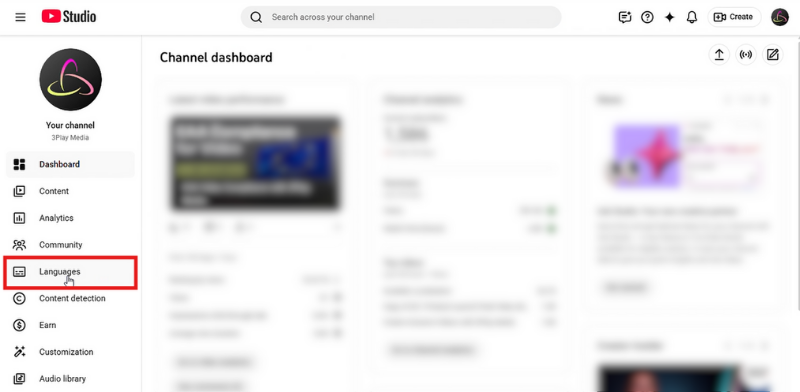
Step 3: Click the video that you’d like to edit.
Step 4: Click the pencil icon (i.e., Details) under Languages.
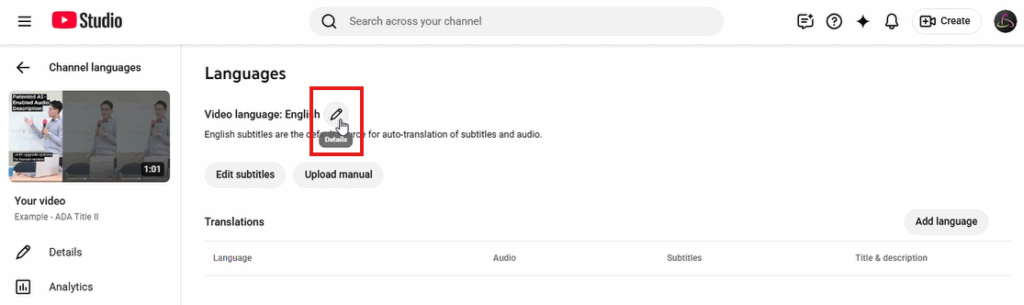
Step 5: At the bottom, to the right of Descriptive Audio, click Add.
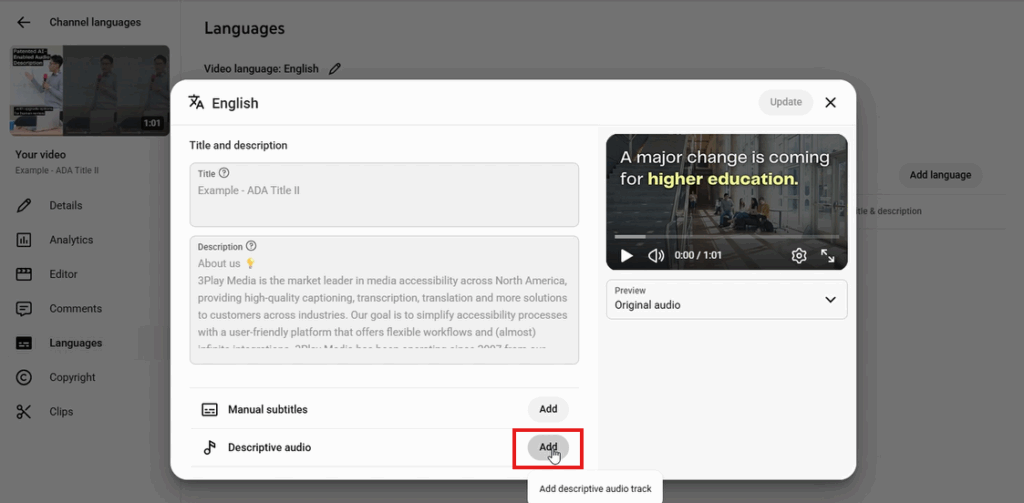
Step 6: Select the audio file containing the descriptive audio track. Files must be in a supported audio-only file format and roughly the same length as your video.
Step 7: Once the file is selected, click Publish.
Step 8: Click Update.
Step 9: Wait for descriptive audio to process. Then your audio description will be ready to toggle on and off!
How to Turn On Audio Description On YouTube
When viewing a video, turning on YouTube audio description can feel a little unintuitive, but this is how it’s done:
Step 1: Click the gear icon (i.e., Settings).
Step 2: Click Audio track to view language and descriptive audio options.
Step 3: Click English descriptive (or whichever language you would like descriptive audio for).
And with that, you can now watch the video while it plays the track with audio description!
How to Create Audio Description for YouTube Videos
The two most common ways to create audio descriptions for YouTube videos are to create descriptions manually or use an audio description vendor.
Going the DIY route will be less expensive, but it is a far more labor- and time-intensive process. On the flip side, you’re guaranteed high-quality, accurate descriptions when you go through a professional audio description vendor like 3Play Media.
Our professional describers watch your video and utilize technology and human editing to create clear, accurate descriptions that follow the DCMP guidelines . The descriptions, using synthesized speech or professional voice actors , are placed using the existing timecodes from your caption file so that they don’t disrupt the viewer from the original audio track.
Outsourcing to 3Play Media
Begin by logging into/creating your 3Play Media account .
To order audio description, you must first order transcription.
Select Order Services at the top of the screen, and select Transcription & Captioning as your main service. Choose your preferred turnaround time, and click next to continue.
Select Audio Description as an additional service. Choose your preferred service level and turnaround time, then click next.
Select the method you are going to use to upload your video. From Links is a great option for YouTube videos, especially those you don’t own. Copy and paste the video URL, click Add Files, then hit next.
Review and submit.
- If you already have a transcribed file from a YouTube video in your account, navigate to the file for which you want audio description, click on the file name, choose Order More when the menu appears on the right of the screen, and choose Audio Description. Follow the prompts to place your order.
- If you already have an audio description file from a YouTube video in your account, continue to Step 2.
12 - Application du RGAA aux entreprises : cas des filiales
Avis 1
Je me permets de retransmettre mon analyse que j’avais partagée sur cette liste il y a quelques mois, car elle me semble compléter les points soulevés :
Le décret de 2019 mentionne le “chiffre d’affaires”, mais pour un groupe d’entreprises, c’est le chiffre d’affaires consolidé qui est pertinent au sens du R233-7 du Code du Commerce.
Donc effectivement, les filiales prises individuellement ne sont, a priori, pas soumises directement aux obligations, mais la société mère y est soumise dès lors que son CA consolidé est supérieur à 250 millions d’euros. Les services en ligne de la société mère et les services mutualisés devront donc répondre aux obligations du décret de 2019.
Pour rebondir sur les remarques de Bertrand et Aurélien, s’en tenir aux seules mentions légales rendrait le contournement de la loi extrêmement simple : il suffirait à un groupe de confier sa communication à une petite filiale dédiée sous le seuil des 250 millions.
À titre d’exemple :
Le site de Lagardère indique dans ses mentions légales qu’il appartient à la filiale “Lagardère Ressources” (CA de 48,9 millions d’euros en 2024, CA Groupe 8942 millions).
Le site e.leclerc est géré par la filiale “L Commerce” (CA de 131 millions d’euros en 2024).
L’Arcom est à mon avis légèrement péremptoire lorsqu’elle affirme que la société désignée dans les mentions légales serait celle dont le CA seul doit être apprécié.
Dès lors qu’il existe une concentration des pouvoirs de direction et que la filiale n’est qu’un instrument de communication pour les intérêts du groupe, c’est le contrôle effectif qui doit primer.
En conclusion, un service en ligne d’une filiale ne pourrait être considéré comme autonome que s’il dispose d’une gestion propre, de ressources financières indépendantes pour sa création et d’une ligne éditoriale non contrôlée par le groupe.
Avis 2
L’Arcom fait clairement une lecture littérale du droit et donne une indication pragmatique pour que ses agents puissent faire des contrôles sans ambiguïté:
L’article du décret ne parle pas de CA consolidé ( ce que fait en principe le législateur quand il souhaite parler de “groupe”) et au contraire renchéri en parlant de calcul “par personne”. Si l’Arcom avait dit l’inverse (CA = CA consolidé) , elle aurait pu être dénoncée pour excès de pouvoir. De quelle “personne” parle t-on ? La réponse est à l’article 1-1 de la LCEN : celle dont l’activité est d’éditer le service de communication en ligne et dont on retrouve le nom dans les mentions légales. C’est simple, vérifiable. Efficace pour les contrôles.
Il n’en reste pas moins que c’est un sacré trou dans la raquette car un gros groupe pourrait effectivement techniquement s’affranchir de l’accessibilité en faisant dépendre ses sites d’une filiale qui ferait moins de 250 M de CA…
Mais :
des groupes oseront-il cet abus de droit et risquer un procès devant le Conseil d’État qui aurait toutes les chances de mal se finir pour eux ? Et au delà du risque juridique, il y a le risque sociétal… En outre, ces filiales peuvent effectivement maintenant tomber sous le coup de l’EAA (Directive (UE) 2019/882 ) pour peu qu’elles fournissent - aujourd’hui - des produits ou services de type bancaires, sites de commerce électronique, de transport (billetterie), médias audiovisuels, livres numériques ( et demain ?). Après, en droit, il y a toujours une part d’interprétation et une part de stratégie.
Avis 3
Si un service numérique est édité dans les intérêts économiques d’un acteur économique, ou de plusieurs, peu importe ce que dit la page “Mentions légales”, c’est bien le chiffre d’affaires de ces acteurs qui doit être pris en compte.
Là ou l’ARCOM va au-delà de la juste interprétation, c’est en prétendant qu’un acteur économique peut décider qu’en confiant la responsabilité légale d’un site internet à une autre unique entité économique (que cela soit sa filiale, une holding ou une tierce partie) alors cela l’exonérerait de ses propres obligations légales rien qu’en modifiant l’entité responsable dans les mentions légales.
Lorsque l’article 2 du décret de 2019 indique que le chiffre d’affaires est calculé “pour chaque personne”, cela implique donc effectivement un calcul du CA au niveau de la personne morale, donc l’entreprise elle-même (et non du groupe auquel elle appartient), mais n’exclut pas la possibilité que le service électronique bénéficie économiquement à plusieurs personnes. Il faut donc calculer le CA pour chaque personne morale dont le service en ligne présente un intérêt économique. Si une seule de ces structures dépasse le seuil de 250 millions d’euros, alors on peut avec certitude affirmer que le service doit répondre aux obligations du RGAA, peu importe les liens économiques qui unissent ces entreprises ni le nom inscrit dans les mentions légales.
Il est normal et habituel que le CA de chaque filiale soit apprécié individuellement, mais pour une société mère (et uniquement pour elle), il est normalement attendu que le CA à prendre en compte soit le CA consolidé, car c’est habituellement ce chiffre qui sert de seuil à de nombreuses réglementations (égalité homme-femmes, calcul des seuils de TVA pour les franchises, calcul de la CVAE, seuils sociaux du droit du travail, ou encore répartition des bénéfices). Voir ce qui se fait par exemple pour une unité économique et sociale
Lorsqu’un service électronique bénéficie à l’ensemble des sociétés d’un groupe, il paraît judicieux d’apprécier le CA à l’échelle du groupe. Ma lecture distingue donc la société mère, dont la réalité économique est par nature consolidée, des filiales dont le chiffre d’affaires doit continuer à s’apprécier individuellement.
13 - ARIA
14 - Atelier 1 - Compétences IA et Accessibilité : Construire le professionnel de l'accessibilité de demain
Compétences IA et Accessibilité : Construire le professionnel de l’accessibilité de demain
5 février 2026
Dr Sarah Lewthwaite et Dr Andy Coverdale
Southampton Education School, University of Southampton
Informations bibliographiques
Citer comme :
Lewthwaite, S. et Coverdale, A. (2026) AI and Accessibility Skills: Building the Accessibility Professional of the Future: Insights from the first AI and Accessibility Skills Workshop [white paper]. University of Southampton. UK. https://doi.org/10.5258/SOTON/PP0164
Copyright © Sarah Lewthwaite & Andy Coverdale, 2026.
Les opinions exprimées dans cette publication sont celles des auteurs et ne reflètent pas nécessairement les vues de l’University of Southampton, Jisc ou des partenaires du projet.
Licence : Creative Commons Attribution 4.0 International — réutilisation autorisée avec attribution. Voir : https://creativecommons.org/licenses/by/4.0/
Teaching Accessibility in the Digital Skill Set — www.Teachingaccessibility.ac.uk — TeachingAccessibility@soton.ac.uk
Image de couverture : Hanna Barakat & Cambridge Diversity Fund — https://betterimagesofai.org
Texte alternatif : Une salle informatique avec des rangées de bureaux, chacun occupé par des étudiants travaillant sur des ordinateurs. Des lignes rouges relient des nœuds en surimpression, symbolisant le flux de communication, l’échange de données et les réseaux interconnectés.
À propos des auteurs
Dr Sarah Lewthwaite
- Principal Research Fellow, Centre for Research in Inclusion, Southampton Education School, University of Southampton, UK.
- Contact : S.E.Lewthwaite@soton.ac.uk
- Dirige l’étude UKRI « Teaching Accessibility » (2019–2028) en tant que Future Leaders Fellow et investigatrice principale.
- Domaines : éducation inclusive, sciences de l’apprentissage, études sur le handicap, accessibilité numérique, méthodes de recherche et enseignement supérieur.
Dr Andy Coverdale
- Research Fellow, Centre for Research in Inclusion, Southampton Education School, University of Southampton, UK.
- Contact : A.Coverdale@soton.ac.uk
- Membre de l’équipe « Teaching Accessibility in the Digital Skill Set ». Expertise en éducation à l’accessibilité numérique et recherche inclusive et participative avec des personnes en situation de handicap, y compris recherche sur les IA génératives et la communication accessible.
À propos de l’initiative AI and Accessibility Skills
- Initiative intégrée au projet Teaching Accessibility in the Digital Skill Set (financé par UKRI, 2019–2028).
- Objectif : étudier l’enseignement de l’accessibilité numérique dans les disciplines techniques universitaires et la main-d’œuvre technologique.
- Travail antérieur (2019–2025) : revues systématiques, analyses de politiques, recherche participative internationale ; trois principes pédagogiques identifiés : compréhension conceptuelle, connaissances procédurales et compétences techniques. Prototype : Teaching Accessibility Wayfinder.
- Travail actuel (2024–2028) : passage d’une perspective centrée sur l’enseignant à une approche centrée sur l’apprenant, étude du développement des compétences tout au long de la carrière et apprentissage pair-à-pair en réseau.
Série d’ateliers AI and Accessibility Skills
- En partenariat avec Jisc, une série d’ateliers collaboratifs (2025–2027) réunissant responsables de l’accessibilité, éducateurs, chercheurs et praticiens du Royaume-Uni pour examiner l’impact de l’IA sur la pratique professionnelle et la formation en accessibilité.
- Objectifs : examiner impacts, défis et leviers stratégiques ; consultation des parties prenantes ; partage de bonnes pratiques ; identifier questions et préoccupations ; développer compréhension guidée par la recherche sur l’évolution des compétences.
Ce rapport documente les insights du premier atelier « Building the Accessibility Professional of the Future », tenu en personne à Jisc London le 25 juin 2025.
Pour plus d’informations : http://teachingaccessibility.ac.uk
Partenaire : Jisc
- Agence numérique, de données et technologique du Royaume-Uni pour l’enseignement supérieur, la recherche et l’innovation. Organisation à but non lucratif, focalisée sur le « tech for good ».
- Équipe accessibilité : support sectoriel continu pour accessibilité numérique, technologies d’assistance, pratiques inclusives, expertise en conformité légale et normative (accessibilité, droit d’auteur, confidentialité, IA) ; partenariat sur formation, stratégie, recherche, communauté et politiques.
Résumé
Introduction
- Les outils alimentés par l’IA promettent des solutions évolutives pour les workflows d’accessibilité numérique (conception, codage, sous-titrage, tests).
- Toutefois, avec l’évolution des régulations et la diversité des populations numériques, les professionnels doivent posséder des compétences solides pour garantir l’inclusion par défaut.
- Ce rapport documente le premier atelier d’une série examinant l’impact de l’IA sur la pratique et le développement professionnel en accessibilité. Atelier rassemblant 40 leaders, éducateurs, chercheurs et praticiens.
Aperçu de l’atelier
- Date : 25 juin 2025, Jisc London.
- Quatre intervenants : Dimple Khagram (compétences humaines que l’IA ne peut reproduire), Dr Sarah Lewthwaite (peut-on automatiser l’accessibilité ?), Tim Scannell (implications pour la BSL et les communautés sourdes), Dr Benjamin Gorman (limites de l’IA pour générer du code accessible).
- Questions de travail :
- Comment l’IA influence-t-elle l’ensemble de compétences essentielles des professionnels de l’accessibilité ?
- Comment/devrions-nous développer l’expertise en accessibilité face à ces changements ?
Insights et priorités stratégiques
- Adoption actuelle : exploratoire et variable ; obstacles : coûts d’implémentation, organisations réticentes.
- Gains d’efficacité pour tâches routinières, mais préoccupations : fiabilité, deskilling, automatisation au détriment de l’engagement humain (ex. tests d’utilisabilité).
- Risque : modèles entraînés sur jeux de données biaisés reproduisent des schémas discriminatoires et ignorent les savoirs culturels des communautés de personnes handicapées.
- Cadre réglementaire actuel (ex. European Accessibility Act) insuffisant pour le rôle de l’IA.
- Innovation cloisonnée et propriétaires ; opportunités pour intégrer l’accessibilité dans l’éducation à la littératie IA.
Recommandations préliminaires (pratique/politique)
- IA centrée sur l’humain : intégrer l’accessibilité tout au long du processus de conception pour que l’IA complète, sans remplacer, l’engagement humain.
- Partage de pratiques & collaboration : passer de projets cloisonnés à des efforts coordonnés et transparents.
- Co-conception centrée utilisateur : impliquer directement les communautés handicapées et sourdes.
- Cadres réglementaires & normes : établir environnements robustes pour l’usage éthique et responsable de l’IA en accessibilité.
- Compétences professionnelles en IA : développer capacités d’évaluation critique des travaux d’accessibilité médiés par l’IA (compétences techniques et évaluation éthique).
1. Introduction
- Les outils IA offrent des solutions épargnant du temps et évolutives pour la conception numérique, le codage, le sous-titrage, l’audit, les tests et la remédiation.
- Les changements de régulation, culture organisationnelle et diversité des populations exigent que les travailleurs numériques de demain maîtrisent des compétences d’accessibilité pour garantir l’accessibilité par défaut.
- L’accessibilité doit être conçue « avec le handicap en tête » ; cela nécessite formation professionnelle, apprentissage en milieu professionnel et études universitaires.
- La série d’ateliers (2025–2027) identifie questions et préoccupations concernant l’essor de l’IA dans le travail et la pratique professionnelle de l’accessibilité.
2.Présentation de l’atelier
- Atelier « Building the Accessibility Professional of the Future » — 25 juin 2025, Jisc London. 40 participants (enseignement supérieur, industrie, politique, gouvernance, recherche).
- Focus : évolution du travail d’accessibilité et des workflows face aux développements de l’IA ; partage de pratiques.
- Activité : discussions en petits groupes répondant à deux questions clés :
- Comment l’IA influence-t-elle les compétences essentielles des professionnels de l’accessibilité ?
- Comment l’expertise en accessibilité devrait-elle être développée face à ces changements ?
3. Interventions d’experts et discussions de fond
Au-delà des robots : les compétences de demain pour un monde hybride – L’IA et les humains
Dimple Khagram, Purple Beard
- Citation : « Be curious, show empathy, practice creativity, take a stand for justice, build community, dream the impossible. Be the human AI can’t replace. »
- Position : AI intégré dans tâches quotidiennes (écriture, analyse, automatisation, génération de contenu). Défi central : définir l’avantage humain dans un monde hybride.
- Compétences humaines essentielles identifiées (les « power skills ») :
- Curiosité
- Empathie (intelligence émotionnelle)
- Créativité
- Courage moral
- Construction de communauté
- Pensée visionnaire
- Adaptabilité & apprentissage tout au long de la vie
- Leadership éthique
- Collaboration et communication
- Tech-fluency (comprendre comment travailler avec l’IA sans forcément coder)
- Pensée axée sur le sens / la finalité
- Conclusion : encourager les professionnels à devenir « plus humains » et à utiliser l’IA pour amplifier le potentiel humain, pas pour le remplacer.
Un tournant décisif ? Poser des questions essentielles sur l’IA et les compétences dans le processus de mise en accessibilité
Dr Sarah Lewthwaite, Southampton Education School
- Citation : « If accessibility knowledge moves from the commons to proprietary AI, what happens to community knowledge? How do we ensure that disabled people’s lived experience remains at the centre of accessibility practice? »
- Points clés :
- Tensions épistémologiques entre approches centrées sur l’humain (HCI, Disability Studies, Crip Technoscience) et culture de conformité centrée outil (informatique).
- Le handicap doit être reconnu comme un site d’expertise ; nécessité de processus de désapprentissage et d’ouverture à multiples façons de savoir.
- Risque d’automatisation de l’accessibilité : les systèmes d’IA apprennent du discours dominant plutôt que de l’expérience vécue, ce qui crée un risque de « violence épistémique ».
- Mismatch temporel : productivité exponentielle via IA vs tests d’accessibilité nécessitant des temps humains.
- Enclosure : knowledge commons d’accessibilité risquant d’être capturé par systèmes propriétaires, érodant la communauté d’expertise.
- Appel à la « response-ability » : responsabilité humaine pour orienter l’usage de l’IA vers des pratiques centrées sur l’humain.
Références citées :
- Hamraie & Fritsch (2019) — Crip technoscience manifesto.
- Lewthwaite & Sloan (2016).
- Spivak (1988).
Rapprocher les sciences : IA, langue des signes britannique et communication inclusive
Tim Scannell, Accessibility Consultant
- Citation : « Bridging Science means connecting Deaf culture, inclusive design, and ethical tech. AI must support respectful, community-led communication. »
- Points clés :
- BSL est une langue complète avec grammaire et expressions faciales ; elle est fondamentalement différente de l’anglais.
- Principe : « nothing about us without us » — impliquer la communauté sourde dans le développement.
- Problèmes actuels : avatars de langue des signes robotiques, incapacité à capter expressions faciales, contexte, nuance et variations régionales.
- Préoccupations éthiques sur la collecte de données et le consentement ; données biaisées entraînent des outils systématiquement injustes.
- Recommandations : financement exigeant des principes « sign-first », leadership sourd, définition claire des technologies soutenant la langue des signes.
Références citées :
- Bollier (2011) sur les commons.
- Haraway (2016).
Accessibles par défaut ? Les outils d’IA et les compétences que nous ne pouvons pas nous permettre de perdre
Dr Benjamin Gorman, Bournemouth University
- Citation : « AI doesn’t know what accessibility is. It doesn’t check, or care — unless we do. It mirrors us. And we’re still learning. »
- Points clés :
- L’IA ne garantit pas l’accessibilité par défaut ; elle reproduit des motifs inaccessibles issus des données d’entraînement.
- Exemples techniques : code généré par IA peut sembler passer des vérifications superficielles mais échouer sur l’accessibilité réelle (navigation clavier, balisage sémantique, compatibilité lecteurs d’écran).
- Compétences humaines critiques : jugement critique, compréhension contextuelle des besoins utilisateurs, évaluation au-delà des checklists de conformité.
- Limites du prompting : ne remplace pas le jugement professionnel.
- Potentiel : intégrer exigences d’accessibilité dans workflows via fichiers de configuration (ex. règles WCAG) pour guider assistants de codage IA — nécessite expertise humaine pour définir et vérifier.
4. Perspectives et priorités stratégiques
- Discussions centrées sur les deux questions : influence de l’IA sur les compétences professionnelles et implications pour le développement des compétences.
Q1 — Comment l’IA influence le jeu de compétences essentiel des professionnels de l’accessibilité
Adoption actuelle :
- Usage rapporté principalement dans l’enseignement supérieur (personnel académique, technique; étudiants).
- Adoption variée et exploratoire, peu d’intégration systématique dans les workflows d’accessibilité.
- Obstacles : coûts initiaux, besoin de garde-fous, culture de prudence dans l’enseignement supérieur.
- Rôle des universitaires : promouvoir perspectives critiques et éthiques, engagement interdisciplinaire.
Efficacité au travail :
- IA utile pour tâches routinières (transcriptions, résumés, comptes-rendus) et pour codage basique — perçue comme un « game changer » pour des tâches manuelles.
Risque de deskilling :
- Crainte que l’automatisation entraîne une perte de compétences professionnelles en accessibilité.
Efficacité de coût :
- Tension entre gains d’efficacité/profits et approches centrées sur l’humain ; risque que les managers favorisent l’automatisation pour réduire coûts (ex. tests d’utilisabilité remplacés).
Fiabilité de l’IA :
- Contenu généré par l’IA peu fiable et demandant validation experte ; souvent autant de travail (voire plus) pour garantir qualité.
Je continue et termine la traduction complète en Markdown.
4. Perspectives et priorités stratégiques (suite)
Fiabilité de l’IA (suite)
- Les sorties IA exigent une validation experte ; l’engagement peut nécessiter autant de travail, voire plus, que les méthodes manuelles pour garantir la qualité.
Biais et représentations
- Les modèles IA formés sur jeux de données biaisés risquent de reproduire des patterns discriminatoires et d’ignorer des savoirs culturels des communautés de personnes handicapées.
- Préoccupation : l’IA peut contourner ou ignorer pratiques établies et normes culturelles au sein des communautés concernées.
Régulation et gouvernance
- Les cadres réglementaires actuels (p.ex. European Accessibility Act) ne couvrent pas suffisamment le rôle et l’usage de l’IA dans l’accessibilité.
- Nécessité d’un encadrement plus robuste pour l’usage éthique et responsable de l’IA dans les contextes d’accessibilité.
Innovation cloisonnée et transparence
- L’innovation est souvent cloisonnée et propriétaire, limitant la transparence et la collaboration intersectorielle.
- Opportunité : encourager des efforts coordonnés, ouverts et collaboratifs pour partager pratiques, données et outils.
Intégrer l’accessibilité dans l’éducation IA
- Il existe des opportunités pour intégrer l’accessibilité dans l’alphabétisation IA (AI literacy), en formant les professionnels aux enjeux techniques et éthiques de l’IA applicables à l’accessibilité.
5. Recommandations politiques et pratiques préliminaires
IA centrée sur l’humain
- Intégrer l’accessibilité dès la conception (design) pour que l’IA complète, plutôt que remplace, l’engagement humain dans les tâches d’accessibilité.
- Maintenir la boucle de rétroaction avec les personnes en situation de handicap dans les processus itératifs.
Partage de pratiques et collaboration
- Encourager la coordination interinstitutionnelle et le partage transparent de méthodologies, données et outils.
- Favoriser approches ouvertes pour éviter l’enclosure des savoirs de la communauté.
Co-conception centrée utilisateur
- Impliquer directement les communautés handicapées et sourdes dans la co-conception, le développement et l’élaboration des politiques.
- Exiger leadership communautaire et consentement éthique pour la collecte et l’utilisation des données.
Cadres réglementaires et normes
- Développer des environnements réglementaires robustes spécifiquement adaptés à l’usage de l’IA en accessibilité.
- Clarifier responsabilités légales, exigences de transparence et mécanismes d’audit.
Compétences professionnelles en IA
- Former des capacités pour l’évaluation critique des travaux d’accessibilité médiés par l’IA : compétences techniques, éthiques et de jugement professionnel.
- Préserver l’enseignement du jugement critique, de l’empathie utilisateur et des méthodes d’évaluation qualitative (tests utilisateurs).
6. Conclusions
- L’IA offre des opportunités pour améliorer l’efficacité sur des tâches routinières, mais elle pose des risques significatifs si elle est déployée sans supervision experte et cadre éthique.
- L’accessibilité ne deviendra pas automatique simplement parce que des outils IA existent ; la responsabilité humaine demeure centrale pour définir, vérifier et garantir l’accessibilité.
- Pour que l’IA soutienne des pratiques d’accessibilité équitables et durables, il faut :
- renforcement des compétences humaines (jugement critique, empathie, co-conception),
- cadres réglementaires adaptés,
- collaboration intersectorielle et ouverture des pratiques,
- inclusion systématique des communautés concernées.
- Les ateliers suivants de la série devront approfondir ces thèmes et élaborer orientations pratiques pour la formation, la politique et les pratiques professionnelles.
7. Remerciements
- Le rapport documente les discussions du premier atelier (25 juin 2025) ; les auteurs remercient les participants et partenaires, notamment Jisc.
- Pour plus d’information : http://teachingaccessibility.ac.uk ou contacter les auteurs.
15 - Atelier 2 - Approches critiques de l'IA et du renforcement des capacités en matière d'accessibilité
Perspectives issues du deuxième atelier « AI and Accessibility Skills »
1er juin 2026
Dr Sarah Lewthwaite et Dr Andy Coverdale
Southampton Education School, Université de Southampton
Référence bibliographique
Lewthwaite, S. et Coverdale, A. (2026) Approches critiques de l’IA et renforcement des capacités en accessibilité : Perspectives du deuxième atelier AI and Accessibility Skills [rapport blanc]. Université de Southampton. Royaume‑Uni. https://doi.org/10.5258/SOTON/PP0180
Copyright © Sarah Lewthwaite & Andy Coverdale, 2026.
Les opinions exprimées dans cette publication sont celles des auteurs et ne reflètent pas nécessairement les vues de l’Université de Southampton, de Jisc ou des partenaires du projet.
Ce travail est sous licence Creative Commons Attribution 4.0 International. Cette licence permet aux réutilisateurs de distribuer, remixer, adapter et créer à partir du matériau dans tout support ou format, à condition d’en attribuer la paternité au créateur. Vous devez indiquer si des modifications ont été apportées. La licence autorise l’utilisation commerciale. Pour consulter la licence : https://creativecommons.org/licenses/by/4.0/
Teaching Accessibility in the Digital Skill Set
www.Teachingaccessibility.ac.uk
TeachingAccessibility@soton.ac.uk
À propos des auteur·e·s
Dr Sarah Lewthwaite
Principal Research Fellow, Centre for Research in Inclusion, Southampton Education School, Université de Southampton, Royaume‑Uni.
S.E.Lewthwaite@soton.ac.uk
Sarah dirige l’étude UK Research and Innovation « Teaching Accessibility » (2019–2028) en tant que Future Leaders Fellow et investigatrice principale. Sarah et son équipe étudient l’enseignement et l’apprentissage de l’accessibilité numérique dans les universités et le milieu professionnel, afin de constituer une compréhension fondée sur les preuves de la manière dont l’accessibilité peut être enseignée plus efficacement. Sarah a une formation en éducation inclusive et sciences de l’apprentissage, avec 20 ans d’expérience de recherche couvrant les études critiques du handicap, l’accessibilité numérique, les méthodes de recherche et l’enseignement supérieur.
Dr Andy Coverdale
Research Fellow, Centre for Research in Inclusion, Southampton Education School, Université de Southampton, Royaume‑Uni.
A.Coverdale@soton.ac.uk
Andy est membre de l’équipe de recherche « Teaching Accessibility in the Digital Skill Set », avec une expertise dans l’éducation à l’accessibilité numérique et la conduite de recherches inclusives et participatives avec des personnes en situation de handicap. Ses recherches explorent les intersections entre apprentissage, handicap et inclusion numérique et accessibilité. Il s’appuie sur de nombreuses années de travail avec des personnes ayant des déficiences intellectuelles et explore actuellement la recherche inclusive avec ces communautés sur l’IA générative et la communication accessible.
À propos de l’initiative AI and Accessibility Skills
L’initiative AI and Accessibility Skills fait partie du projet Teaching Accessibility in the Digital Skill Set, une étude financée par UKRI (2019–2028) qui enquête sur l’enseignement de l’accessibilité numérique dans les disciplines universitaires techniques et la main‑d’œuvre numérique. La recherche comble une lacune critique : malgré les avancées en matière de droits numériques des personnes en situation de handicap et la demande croissante de services accessibles (intensifiée par la COVID‑19), nous manquons d’une compréhension détaillée de la façon dont l’accessibilité numérique peut être enseignée, apprise et mise à l’échelle efficacement.
Les travaux antérieurs (2019–2025) ont établi des connaissances de base sur la pédagogie de l’accessibilité via des revues systématiques, des analyses de politiques et des recherches participatives avec des enseignant·e·s et apprenant·e·s internationaux issus du milieu universitaire, des gouvernements, des ONG et de l’industrie. Ce travail a identifié trois principes pédagogiques centraux — compréhension conceptuelle, connaissances procédurales et compétences techniques — et développé un cadre typologique de pédagogie de l’accessibilité actuellement opérationnalisé via le Teaching Accessibility Portal.
Les travaux actuels (2024–2028) élargissent la perspective centrée sur l’enseignant·e vers des approches centrées sur l’apprenant·e, examinant comment l’apprentissage de l’accessibilité se développe tout au long du parcours professionnel et au sein de communautés d’apprentissage pair‑à‑pair en réseau.
La série d’ateliers AI and Accessibility Skills
En partenariat avec Jisc, l’Université de Southampton organise une série d’ateliers collaboratifs sur les compétences en IA et accessibilité durant 2025–2027. Ces ateliers réunissent des responsables de l’accessibilité, enseignant·e·s, chercheur·e·s et praticien·ne·s provenant de l’enseignement supérieur, de l’industrie, des politiques, de la gouvernance et d’organisations de recherche pour examiner la relation évolutive entre l’IA et la pratique professionnelle en accessibilité.
La série étudie les impacts actuels et potentiels de l’IA sur l’accessibilité numérique en tant que champ professionnel et discipline éducative. Le travail suit les relations émergentes entre l’IA et l’éducation à l’accessibilité, en examinant les défis et les moteurs stratégiques via la consultation des parties prenantes, l’engagement d’organisations de personnes handicapées, des partenariats avec des initiatives nationales et des universités et professionnel·le·s de premier plan.
Les ateliers offrent des opportunités de discussions ciblées, de partage de connaissances et d’analyses des bonnes pratiques, et visent collectivement à identifier questions et préoccupations sur l’impact de l’IA. En collaboration, la série cherche à développer une compréhension fondée sur la recherche de la manière dont le développement des compétences en accessibilité peut évoluer en réponse à l’intégration de l’IA dans les flux de travail d’accessibilité, les pratiques organisationnelles et l’offre éducative.
Le premier atelier s’est tenu en juin 2025 et est documenté dans :
Lewthwaite, S. & Coverdale, A. (2026) AI and Accessibility Skills: Building the Accessibility Professional of the Future: Insights from the first AI and Accessibility Skills Workshop [white paper]. University of Southampton. UK. https://doi.org/10.5258/SOTON/PP0164
Ce rapport documente les perspectives du deuxième atelier tenu en ligne le 27 février 2026.
Les ateliers suivants s’appuieront sur ces discussions continues, pour un dialogue sectoriel soutenu.
Pour plus d’information sur ce travail, visitez http://TeachingAccessibility.ac.uk ou contactez les auteur·e·s.
À propos de notre partenaire
Jisc est l’agence britannique du numérique, des données et de la technologie axée sur l’enseignement supérieur, la recherche et l’innovation. Organisation à but non lucratif, Jisc œuvre pour une technologie au service du bien commun et réalise des économies significatives pour le secteur.
L’équipe accessibilité de Jisc est centrée sur le développement continu du soutien sectoriel pour l’accessibilité numérique, les technologies d’assistance et les pratiques inclusives — avec une expertise unique en conseils sur la conformité légale et réglementaire couvrant accessibilité, droit d’auteur, confidentialité et IA. L’équipe travaille de manière très collaborative, en partenariat sur la formation, la stratégie, la recherche, les communautés et les politiques.
https://www.jisc.ac.uk/accessibility
Résumé exécutif
Introduction
Les outils activés par l’IA promettent des solutions évolutives pour les flux de travail d’accessibilité numérique : conception, codage, sous-titrage et tests. Cependant, à mesure que la réglementation évolue et que les populations numériques se diversifient, les professionnel·le·s auront besoin de compétences solides en accessibilité pour garantir que les produits numériques soient inclusifs par défaut. Ce rapport documente le deuxième atelier d’une série examinant l’impact de l’IA sur la pratique de l’accessibilité et le développement professionnel. L’Université de Southampton et Jisc ont réuni 48 responsables de l’accessibilité, chercheur·e·s, enseignant·e·s et praticien·ne·s pour aborder des questions critiques sur l’avenir du travail en accessibilité dans un paysage dominé par l’IA.
Aperçu de l’atelier
En février 2026, le deuxième atelier « AI and Accessibility Skills » a rassemblé des participant·e·s issus de l’enseignement supérieur, de l’industrie, des politiques, de la gouvernance et d’organisations de recherche. Trois présentations ont suivi les remarques d’ouverture du Dr Howard Leicester ; la Prof. Hannah Morgan a examiné comment l’IA et les pratiques d’accessibilité numérique façonnent les futurs du handicap ; Henny Swan a exploré la transformation du travail d’accessibilité par l’IA et exposé des changements fondamentaux affectant les compétences ; la Dr Louise Hickman s’est concentrée sur l’IA médiatisant la BSL (langue des signes britannique) et l’importance d’un engagement dirigé par les communautés sourdes dans le développement et la gouvernance. Les participant·e·s ont ensuite abordé des questions en discussions structurées :
- Peut‑on interroger les futurs que l’IA est déjà en train de construire : sont‑ils compatibles avec la vie des personnes handicapées telle qu’elle est réellement vécue ?
- Comment traiter la vitesse, l’échelle, la responsabilité, les limites de la conformité et de la réglementation, et d’autres enjeux liés à l’IA ?
- Comment atténuer les risques et dommages de l’IA, développer des normes futures, garantir les droits des personnes handicapées et mobiliser l’expertise des utilisateur·rice·s ?
Enseignements et priorités stratégiques
Je fournis ci‑dessous la traduction fidèle et complète du passage manquant (sans résumé), en Markdown avec titres et puces comme demandé.
Enseignements et priorités stratégiques
L’IA est de plus en plus omniprésente dans les outils et les flux de travail quotidiens d’une manière souvent invisible et difficile à éviter, dépassant la gouvernance, la compréhension et les pratiques fondées sur des preuves.
Le développement rapide de l’IA rend difficile l’établissement de bonnes pratiques ou la conduite d’évaluations pilotées par la recherche pour assurer l’inclusion des personnes handicapées. L’IA risque de généraliser l’inaccessibilité ; l’hypothèse selon laquelle l’automatisation améliore l’accessibilité n’est pas étayée par des preuves, et les exigences de vérification peuvent doubler plutôt que réduire les charges de travail en accessibilité. Le biais ableiste dans l’IA est structurel, enraciné dans les jeux de données d’entraînement et résistant aux correctifs techniques. Les communautés de personnes handicapées sont exclues de la conception et de la gouvernance de l’IA malgré leur expertise essentielle. L’expertise relationnelle des travailleur·se·s d’accès résiste à l’automatisation mais reste vulnérable au remplacement motivé par les coûts. Les cadres réglementaires sont insuffisants, la responsabilité juridique pour les systèmes d’IA inaccessibles demeure floue, et l’accessibilité est de plus en plus marginalisée dans des agendas dominés par l’IA. Néanmoins, les participant·e·s ont identifié une opportunité stratégique : la visibilité actuelle de l’IA peut être mise à profit pour repositionner l’accessibilité comme élément central d’un développement responsable de l’IA.
Recommandations préliminaires de politique/pratique
- IA centrée sur l’humain : Intégrer l’accessibilité tout au long des processus de conception d’IA et résister au remplacement motivé par les coûts des travailleur·se·s humains d’accès dans des contextes à enjeux élevés.
- Traiter le biais structurel : Impliquer les communautés de personnes handicapées dans la définition d’un déploiement représentatif et non discriminatoire de l’IA. Faire respecter des obligations de gouvernance et de transparence.
- Responsabilité : Établir une responsabilité juridique pour les défaillances d’accessibilité générées par l’IA. Exiger des évaluations d’impact avant d’intégrer l’IA dans des services soumis à des obligations d’accessibilité.
- Compétences professionnelles et éducation : Maintenir des compétences humaines fondamentales en accessibilité parallèlement aux littératies émergentes en IA. Exiger que les cadres de compétences en IA intègrent l’accessibilité et les perspectives liées au handicap.
1 Introduction
Les outils activés par l’IA promettent des gains de temps et des solutions évolutives pour des domaines tels que la conception numérique, le codage, le sous-titrage, l’audit, les tests et la correction ; des aspects de l’industrie qui semblent appelés à se développer. Parallèlement, l’évolution des réglementations nationales et internationales, la culture organisationnelle et la diversité des populations signifient que les travailleurs numériques de l’avenir devront être sûrs de garantir que les produits et contenus numériques soient accessibles à tous, y compris aux personnes handicapées. Pour « concevoir avec le handicap à l’esprit » et assurer une accessibilité par défaut, les développeur·se·s ont besoin de compétences et de savoir‑faire en accessibilité, développés par la formation professionnelle, l’apprentissage en milieu de travail et les études universitaires afin d’assurer des futurs accessibles. L’accessibilité sous-tend les droits numériques des personnes handicapées et est essentielle à l’inclusion dans notre société numérique.
En 2025–2026, l’Université de Southampton et Jisc organisent une série d’ateliers collaboratifs sur les compétences en IA et accessibilité dans le cadre du projet Teaching Accessibility. Les ateliers identifient questions et préoccupations concernant la montée de l’IA dans le travail d’accessibilité numérique et la pratique professionnelle, et comment cela affectera les institutions britanniques et l’accessibilité en tant que discipline, afin d’assurer des futurs numériques plus inclusifs pour tous.
2 Aperçu de l’atelier
L’atelier « Critical Approaches to AI and Accessibility Skills » s’est tenu en ligne le 27 février 2026 et a réuni 48 participant·e·s issus de l’enseignement supérieur, de l’industrie, des politiques, de la gouvernance et d’organisations de recherche intensives du Royaume‑Uni. L’atelier s’est concentré sur l’engagement de perspectives critiques issues des études sur le handicap et de l’accessibilité numérique pour scruter les valeurs intégrées aux technologies d’IA et la manière dont elles sont présentées aux décideurs.
Lors des discussions en petits groupes, les participant·e·s ont cartographié des réponses à trois questions clés proposées par nos intervenant·e·s :
- Peut‑on interroger les futurs que l’IA est déjà en train de construire – sont‑ils compatibles avec la vie des personnes handicapées telle qu’elle est réellement vécue ?
- Comment traiter : la vitesse de l’IA, son échelle, la responsabilité, les limites de la conformité et de la réglementation, et d’autres enjeux ?
- Comment atténuer les risques et dommages de l’IA, développer des normes futures, garantir les droits des personnes handicapées et mobiliser l’expertise des utilisateur·rice·s ?
Chaque question était accompagnée des deux sous‑questions suivantes :
- Qu’est‑ce que cela signifie pour les enseignant·e·s et professionnel·le·s de l’accessibilité ?
- Quelles expériences, données et connaissances informent notre compréhension ?
C’est la traduction complète et fidèle du texte que vous avez indiqué comme manquant. Voulez‑vous que je l’intègre dans le document Markdown entier et vous fournisse le fichier .md téléchargeable ?
3 Présentations d’expert·e·s et discussions fondamentales
Artificial Intelligence Versus Accessibility
Dr Howard Leicester MBE, BCS Chartered Institute for IT, Accessible Info
Les remarques d’ouverture ont été fournies par notre invité distingué, Dr Howard Leicester MBE, via une vidéo enregistrée. Leicester s’est concentré sur l’Accessible Information Standard (AIS), qui en vertu de l’Equality Act 2010 exige que les organisations du secteur public prennent des ajustements raisonnables pour répondre aux besoins de communication et de mobilité locale des personnes en situation de handicap. Ces besoins sont décrits dans les six étapes essentielles de la norme, qui comprennent l’identification, l’enregistrement, le signalement, le partage, la satisfaction et la révision. En réalité, pour Leicester et beaucoup d’autres, la mise en œuvre reste relativement médiocre dans les secteurs de la santé et des services sociaux et services similaires. Tout en reconnaissant le potentiel de l’IA, il a insisté sur les défis persistants liés à l’utilisation de ces technologies pour soutenir une communication et une navigation efficaces, notamment en matière de coûts et de savoir‑faire. Leicester a conclu, dans un ton typiquement optimiste et humoristique, en soulignant son travail continu pour influencer le secteur par le plaidoyer et la collaboration avec des collègues et des organisations nationales.
Accessible to What? Disability, AI, and the Politics of the Future
Prof. Hannah Morgan, University of Leeds.
« La question est de savoir si l’accessibilité numérique élargit l’éventail des futurs imaginables pour les personnes handicapées, ou si elle facilite principalement la participation à des futurs prédéfinis. »
Le travail de la Prof. Morgan se situe à l’intersection des études sur le handicap et des sociologies du futur. Ce travail considère comment les idées sur le futur façonnent les possibilités présentes. Lors de sa présentation, Morgan nous a invités à réfléchir à la manière dont nous pensons le futur dans le présent, pour interroger les « futurs du handicap » que l’IA normalise déjà. Elle a introduit deux concepts :
- futurity – la condition socialement organisée d’avoir un futur ; et
- futurelessness – la capacité inégale ou l’opportunité inégale de réaliser ces futurs socialement reconnus.
Par ces concepts, les systèmes numériques ne sont pas simplement des outils que nous utilisons dans le présent, ils sont aussi des « infrastructures d’anticipation » qui organisent le futur. Ces infrastructures atténuent ou reproduisent l’exclusion vécue par les personnes handicapées.
Morgan a observé comment la pratique de l’accessibilité fonctionne fréquemment comme une adaptation, souvent comme un ajout ou un bricolage a posteriori. Cette adaptation est typiquement intégrée dans des régimes de conformité, tels que normes, audits et processus de gestion des risques. Cette approche adaptative encourage une adhésion minimale aux exigences d’accessibilité plutôt qu’une transformation significative. Cela encadre l’accessibilité comme une question de conformité temporelle et technique, plutôt que comme une question de droits et d’équité, avec un engagement envers la justice du handicap.
Morgan a décrit un futur médiatisé par l’IA, orienté vers la vitesse, l’efficacité et la productivité. Les systèmes d’IA opèrent par prédiction et optimisation, créant des normes qui ne s’alignent pas facilement avec les corporéités diverses et les styles cognitifs des communautés handicapées. De plus, les hypothèses normatives intégrées aux jeux de données projettent les schémas historiques de désavantage et les inégalités passées vers les décisions futures.
Le travail de Morgan positionne le handicap comme un prisme critique et analytique pour comprendre les implications plus larges de l’IA ; « un point de vue diagnostic à partir duquel nous pouvons évaluer l’architecture morale des futurs technologiques » et examiner « comment ces futurs sont alloués de manière différenciée. » Elle a conclu en posant une question centrale pour le travail d’accessibilité et le développement de l’IA :
« Construisons‑nous des systèmes qui élargissent la capacité des personnes handicapées à planifier à long terme pour la stabilité et l’autodétermination ? Ou raffinons‑nous des infrastructures qui gèrent, optimisent et contiennent les vies des personnes handicapées dans des paramètres étroits de valeur ? »
Accessibilité et l’“AI shift”
Henny Swan, TetraLogical
« Le ‘shift left’ concerne davantage la vitesse. Il est moins directionnel, moins prévisible, l’IA accélère littéralement la production. Elle introduit de la variabilité là où auparavant nous avions de la stabilité… et elle répartit la responsabilité davantage entre fournisseurs, systèmes, équipes, et aussi gouvernance et conformité. »
Swan a soutenu que l’IA est désormais profondément intégrée dans le paysage technologique, dans les outils de conception, les environnements de développement, les systèmes de gestion de contenu, les pipelines d’approvisionnement et les services destinés aux usagers. Son influence sur l’accessibilité est à la fois inévitable et croissante. Pour les concepteurs et développeurs, l’IA introduit une dynamique différente du « shift left », la vitesse en étant le facteur déterminant.
Elle a présenté quatre changements fondamentaux impactant les compétences en accessibilité : échelle, expertise, interfaces et responsabilité.
- Premièrement, Swan a demandé : « L’IA résout‑elle l’accessibilité ? Ou étend‑elle l’inaccessibilité ? » Elle a observé que, bien que l’IA permette des progrès significatifs pour générer des sous-titres, du code et des alternatives textuelles à grande échelle, elle peut industrialiser de mauvaises pratiques, produisant des sorties qui répondent à la conformité technique mais restent inutilisables pour les usagers. Des problèmes tels que le contenu halluciné, des sources de données non fiables et un code sous-jacent défectueux soulignent la nécessité d’une surveillance attentive des invites, des jeux de données et des garde‑fous pour garantir des résultats accessibles.
- Deuxièmement, l’expertise en accessibilité ne devrait pas être confinée aux spécialistes, mais faire partie des compétences des concepteurs, développeurs, testeurs et autres rôles. En s’inspirant de parallèles avec la Révolution industrielle, Swan suggère que les compétences en accessibilité évoluent. Alors que l’IA automatise des tâches de bas niveau comme le codage et les tests, l’accent sera davantage mis sur le jugement humain, la pensée critique et la compréhension des expériences humaines réelles. Différents rôles doivent s’adapter en conséquence, des développeurs comprenant le code généré par l’IA aux testeurs concevant de nouvelles méthodologies et aux responsables produits intégrant l’accessibilité dans les achats et la planification.
- Troisièmement, l’IA transforme aussi les interfaces elles‑mêmes : des interfaces statiques, déterministes et prédictibles vers des systèmes dynamiques et probabilistes, façonnés par des entrées humaines et des interactions qui génèrent du contenu « à la volée ». Ce changement complique à la fois les tests et la conformité : les systèmes génératifs et adaptatifs émergents sont plus difficiles à évaluer avec les cadres existants.
- Enfin, la responsabilité devient plus fragmentée dans les pratiques médiatisées par l’IA. Les responsabilités ne sont plus clairement définies dans des flux de travail linéaires mais superposées entre équipes et fournisseurs. Dans un changement pivot pour le design inclusif, Swan a expliqué comment l’accessibilité doit évoluer au‑delà de l’évaluation des sorties vers la gouvernance des entrées.
Le rôle des travailleurs·euses d’accès et la manière dont nous achetons l’accès
Dr Louise Hickman, University of Cambridge
« Plutôt que de penser l’accessibilité IA comme quelque chose déjà intégré, il existe des façons d’intervenir, et nous pouvons commencer à construire des équipes capables de diriger sur l’impact qu’elle a. »
S’inspirant de ses expériences en tant que doctorante sourde, Hickman a introduit le concept d’« access intimacy » (intimité d’accès), la confiance relationnelle et la compréhension entre les personnes ayant des besoins d’accès et celles qui les soutiennent. Les travailleurs·euses d’accès peuvent inclure interprètes, sous-titreurs et assistants en classe ; Hickman a décrit la nature profondément relationnelle et qualifiée de leur travail comme une forme de travail invisible, posant la question : « que perdons‑nous lorsque ce type de travail est confié à l’IA ? Quelles relations perdons‑nous ? »
Au cours de sa présentation, Hickman s’est largement appuyée sur son récent rapport, BSL is Not for Sale, un examen critique du cycle d’achat de la Langue des Signes Britannique à l’ère de l’IA. Elle a décrit les deux fonctions principales de la BSL médiée par l’IA : la traduction de matériel préenregistré et l’interprétation simultanée des interactions en temps réel, en soutenant que ces deux usages présentent des opportunités et des risques différents et doivent être évalués séparément. S’appuyant sur une étude de cas d’une consultation médicale, Hickman a souligné les limitations et les risques graves d’utiliser l’IA dans des contextes complexes et sensibles, où seuls des interprètes humains peuvent reconnaître des nuances et des malentendus et intervenir.
Pour l’avenir, un travail clé consistera à résister à certains récits dominants et à contester les affirmations de l’industrie utilisées pour justifier des solutions d’IA, comme la pénurie d’interprètes. De manière cruciale, investir dans des infrastructures dirigées par les communautés sourdes offrira des opportunités aux communautés et groupes de plaidoyer d’intervenir dans le développement de la BSL IA.
Hickman a conclu par plusieurs recommandations clés. Fondamentalement, l’évaluation de la BSL IA devrait être menée par des équipes dirigées par des personnes sourdes. Elle a suggéré de financer un réseau national d’expertise BSL, l’inclusion de conseillers sourds dans les services numériques gouvernementaux (Government Digital Services), et appelé à une plus grande transparence de la part des entreprises développant la BSL IA.
Très bien — je poursuis avec la traduction fidèle et complète des sections 4 à la fin.
4 Enseignements et priorités stratégiques
Les discussions de l’atelier ont abordé trois questions critiques concernant l’influence de l’IA sur la pratique professionnelle en accessibilité et les implications pour le développement des compétences. Les contributions des participant·e·s reflétaient des perspectives diverses issues de l’enseignement supérieur, de l’industrie, des politiques et de la recherche.
- Q1. Peut‑on interroger les futurs que l’IA est déjà en train de construire – sont‑ils compatibles avec la vie des personnes handicapées telle qu’elle est réellement vécue ?
- Q2. Comment traiter la vitesse, l’échelle, les limites de la conformité et de la réglementation, la responsabilité et les interfaces non fixes ?
- Q3. Comment atténuer les risques et dommages de l’IA, développer des normes futures, garantir les droits des personnes handicapées et engager l’expertise des utilisateur·rice·s ?
4.1 Omniprésente, invisible, incontournable : IA pervasive
L’IA a été décrite de diverses manières : de plus en plus omniprésente, pervasive et intrusive, intégrée dans les outils et flux de travail quotidiens au point où l’engagement est inévitable et il est difficile de s’en soustraire. Les participant·e·s ont observé que des fonctionnalités d’IA sont introduites sans discernement, sans consentement des utilisateur·rice·s, sans formation adéquate ni possibilité de désactivation. L’invisibilité croissante de l’IA dans les systèmes rend plus difficile pour les usagers d’identifier où et comment elle opère et influence les tâches. De manière importante, les participant·e·s ont souligné comment l’IA peut remodeler des plateformes et des logiciels en perturbant des fonctionnalités d’accessibilité originelles.
Naviguer entre engouement, accélération et incertitude
À mesure que l’IA s’intègre aux pratiques liées au travail, à l’éducation et à la société en général, un « acte d’équilibre » apparaît entre opportunité et risque. Un conflit clair existe entre l’optimisme sur les gains de productivité et les préoccupations concernant l’érosion des pratiques centrées sur l’humain. L’IA a été cadrée comme transformative mais instable, nécessitant que les praticien·ne·s et enseignant·e·s en accessibilité évaluent de manière critique ce qu’elle peut raisonnablement accomplir.
Bien que l’IA suive des cycles d’engouement technologique familiers, elle s’accélère plus rapidement que les innovations précédentes. Cet état dynamique perpétuel indique plusieurs préoccupations clés. Au niveau individuel, le rythme rapide de développement est largement perçu comme accablant, avec des participant·e·s décrivant la technologie comme « en train de filer », rendant difficile pour les enseignant·e·s et professionnel·le·s d’établir des bonnes pratiques tant pour l’utilisation de l’IA que pour fournir des conseils. À un niveau structurel, l’incertitude sur les résultats à moyen et long terme et le changement constant créent une résistance à l’examen et à la recherche (et donc au développement de pratiques fondées sur des preuves), posant des défis fondamentaux pour la gouvernance de l’accessibilité.
L’inclusion ne peut être automatisée
Une tension critique a été identifiée entre l’adoption rapide et apparemment incessante de l’IA, et le besoin d’une compréhension plus lente, fondée sur l’expérience, requise pour répondre aux besoins humains, particulièrement en matière d’accessibilité où l’inclusion est un processus demandant du temps, de la consultation et de l’itération. Les mises à jour fréquentes et l’instabilité des outils d’IA créent deux risques : premièrement, l’IA peut accélérer des pratiques d’exclusion qui positionnent l’accessibilité comme accessoire plutôt qu’essentielle, conduisant à des solutions « bolt‑on » ajoutées après la conception ; deuxièmement, lorsque l’IA est destinée à des activités d’assistance, son instabilité signifie qu’elle ne peut être considérée comme fiable, aggravant les inégalités et les subjectivités des personnes handicapées.
Comme rapporté lors de l’atelier 1, les participant·e·s ont aussi identifié que l’IA commence à façonner des « solutions d’accessibilité » qui ne reflètent pas les besoins authentiques des personnes handicapées — mécanismes qui semblent inclusifs mais présentent des risques substantiels (par exemple, un avatar de traduction BSL développé depuis une perspective orale incapable de traduire efficacement des dialectes BSL, des termes techniques ou des repères culturels ; dans des contextes médicaux à enjeux élevés, des erreurs linguistiques peuvent entraîner des préjudices physiques). Les participant·e·s ont donc insisté sur la prudence, l’adoption incrémentale et un développement réfléchi et informé qui inclut véritablement les communautés concernées.
4.2 Perspectives critiques
Promesses gonflées : hypothèses et attentes autour de l’IA
Les participant·e·s ont observé des attentes excessives et des hypothèses erronées quant aux capacités de l’IA, menant à une sur‑confiance et à un manque d’engagement critique. On s’inquiète que l’IA soit appliquée à l’accessibilité sans preuves suffisantes de son efficacité. Des questions ont été soulevées sur le risque que l’IA restreigne la créativité et la réflexion exploratoire. Une inquiétude particulière porte sur l’idée que les technologies grand public sont de plus en plus capables de résoudre automatiquement les problèmes d’accessibilité — une hypothèse empiriquement infondée et politiquement commode. Ces hypothèses risquent de différer la responsabilité en matière d’accessibilité et d’occulter la nécessité d’une supervision humaine et d’une conception responsable. Collectivement, ces tendances indiquent un déplacement de la responsabilité, encourageant une dépendance passive à la technologie au détriment de pratiques inclusives actives.
Outils partiels, solutions partielles : efficacité et limites de l’IA en pratique
Les participant·e·s ont observé que l’IA est fréquemment traitée comme un terme parapluie couvrant des technologies et des applications diverses, mais qu’en pratique beaucoup assimilent l’IA à l’IA générative et aux grands modèles de langage. Plusieurs ont proposé de considérer l’IA comme un composant d’une boîte à outils plus large, plutôt qu’une solution singulière ou complète. Bien que l’IA puisse soutenir des tâches comme la prise de notes, le résumé et les tâches de codage de base, son efficacité est souvent compensée par la vérification requise. Comme lors de l’atelier 2025, des participant·e·s ont remis en question l’idée que l’IA fasse gagner du temps, particulièrement lorsque les sorties doivent être vérifiées pour exactitude et biais (ableist) ; ce processus peut doubler les charges de travail. La nature non déterministe de l’IA a aussi été identifiée comme une limite dans des domaines nécessitant précision, y compris les mathématiques. Des préoccupations plus larges ont été exprimées concernant la perte de créativité, de nuance et de connexion humaine, et l’émergence d’un mode de travail « post‑littératie » où le contenu est généré et consommé sans engagement profond.
Quantifier les coûts : éthique, risques, dommages de l’IA
La compréhension limitée de l’IA contribue à une confiance excessive dans ses sorties et rend difficile la reconnaissance de ses limites. Des préoccupations éthiques ont été soulevées au sujet des outils d’IA qui imitent l’interaction humaine, particulièrement dans des contextes impliquant des communautés vulnérables — y compris celles cherchant du soutien en santé mentale ou en thérapie. Les participant·e·s ont souligné des risques incluant violations de la vie privée, dommages psychologiques et usage abusif de l’IA dans des contextes sensibles. Ils ont estimé que les dommages sont fréquemment sous‑estimés, surtout lorsque les systèmes renforcent des comportements nuisibles. En définitive, les risques sont liés à la manière dont les outils d’IA sont déployés et utilisés ; et les mécanismes actuels pour surveiller et gérer ces impacts sont insuffisants.
Biais dans l’IA : une caractéristique, pas un bug
Le biais de l’IA reste un problème fondamental, enraciné dans les données d’entraînement et résistant aux seules corrections techniques. Des exemples tels que les échecs de la reconnaissance faciale, les systèmes algorithmiques excluants et des preuves croissantes de profilage des données utilisateur au sein des plateformes d’IA illustrent comment l’IA reproduit et amplifie systématiquement les inégalités existantes. Bien que des améliorations techniques soient possibles, les participant·e·s ont insisté sur le fait que le changement systémique dépend d’une priorisation délibérée et d’une régulation robuste. Sans intervention, les systèmes biaisés persisteront et continueront de se généraliser.
Dimensions politiques et socioculturelles de l’IA
L’IA a été explicitement décrite comme politique, façonnée par des valeurs culturelles profondément ancrées, des systèmes économiques et des structures de pouvoir. Les participant·e·s ont soulevé des questions sur qui contrôle le développement de l’IA et dont les voix sont exclues — les personnes handicapées étant régulièrement identifiées comme marginalisées et exclues des processus de conception et de gouvernance. Le pouvoir croissant et l’influence des entreprises technologiques, combinés aux coûts environnementaux (comme la consommation de ressources des centres de données), continuent de susciter des préoccupations éthiques sur la durabilité et les inégalités mondiales pour les professionnel·le·s de l’accessibilité et les défenseur·se·s du handicap. Les participant·e·s ont souligné que les technologies intègrent les priorités de celles et ceux qui les conçoivent et les financent : des priorités dominantes axées sur la productivité et le marché souvent en tension avec les impératifs de justice et d’équité.
5 Recommandations préliminaires de politique
- IA centrée sur l’humain : Intégrer l’accessibilité tout au long des processus de conception d’IA et résister au remplacement motivé par les coûts des travailleur·se·s d’accès humains dans des contextes à enjeux élevés.
- Traiter le biais structurel : Impliquer les communautés de personnes handicapées dans la définition d’un déploiement représentatif et non discriminatoire de l’IA. Faire appliquer des obligations de gouvernance et de transparence.
- Responsabilité : Établir une responsabilité juridique pour les défaillances d’accessibilité générées par l’IA. Exiger des évaluations d’impact avant d’intégrer l’IA dans des services soumis à des obligations d’accessibilité.
- Compétences professionnelles et éducation : Maintenir des compétences humaines fondamentales en accessibilité parallèlement aux littératies émergentes en IA. Exiger que les cadres de compétences en IA intègrent l’accessibilité et les perspectives du handicap.
6 Conclusions
L’atelier a mis en évidence que l’IA est de plus en plus omniprésente dans les outils et flux de travail quotidiens d’une manière souvent invisible et difficile à éviter, dépassant la gouvernance, la compréhension et les pratiques fondées sur des preuves. Le développement rapide de l’IA rend difficile l’établissement de bonnes pratiques ou la conduite d’évaluations menées par la recherche pour assurer l’inclusion des personnes handicapées. Les risques de l’IA incluent la généralisation de l’inaccessibilité ; l’hypothèse selon laquelle l’automatisation améliore l’accessibilité n’est pas étayée par des preuves, et les exigences de vérification peuvent doubler plutôt que réduire les charges de travail.
Le biais ableiste dans l’IA est structurel, enraciné dans les jeux de données et résistant aux solutions purement techniques. Les communautés de personnes handicapées sont exclues de la conception et de la gouvernance de l’IA malgré leur expertise essentielle. L’expertise relationnelle des travailleur·se·s d’accès résiste à l’automatisation mais reste vulnérable au déplacement motivé par le coût. Les cadres réglementaires sont insuffisants ; la responsabilité juridique pour les systèmes d’IA inaccessibles demeure floue, et l’accessibilité est de plus en plus marginalisée dans des agendas dominés par l’IA. Néanmoins, les participant·e·s ont identifié une opportunité stratégique : la visibilité actuelle de l’IA peut être utilisée pour repositionner l’accessibilité comme centrale dans le développement responsable de l’IA.
7 Remerciements
Les auteur·e·s remercient les participant·e·s du deuxième atelier AI and Accessibility Skills, ainsi que les partenaires et contributeurs du projet Teaching Accessibility in the Digital Skill Set et Jisc.